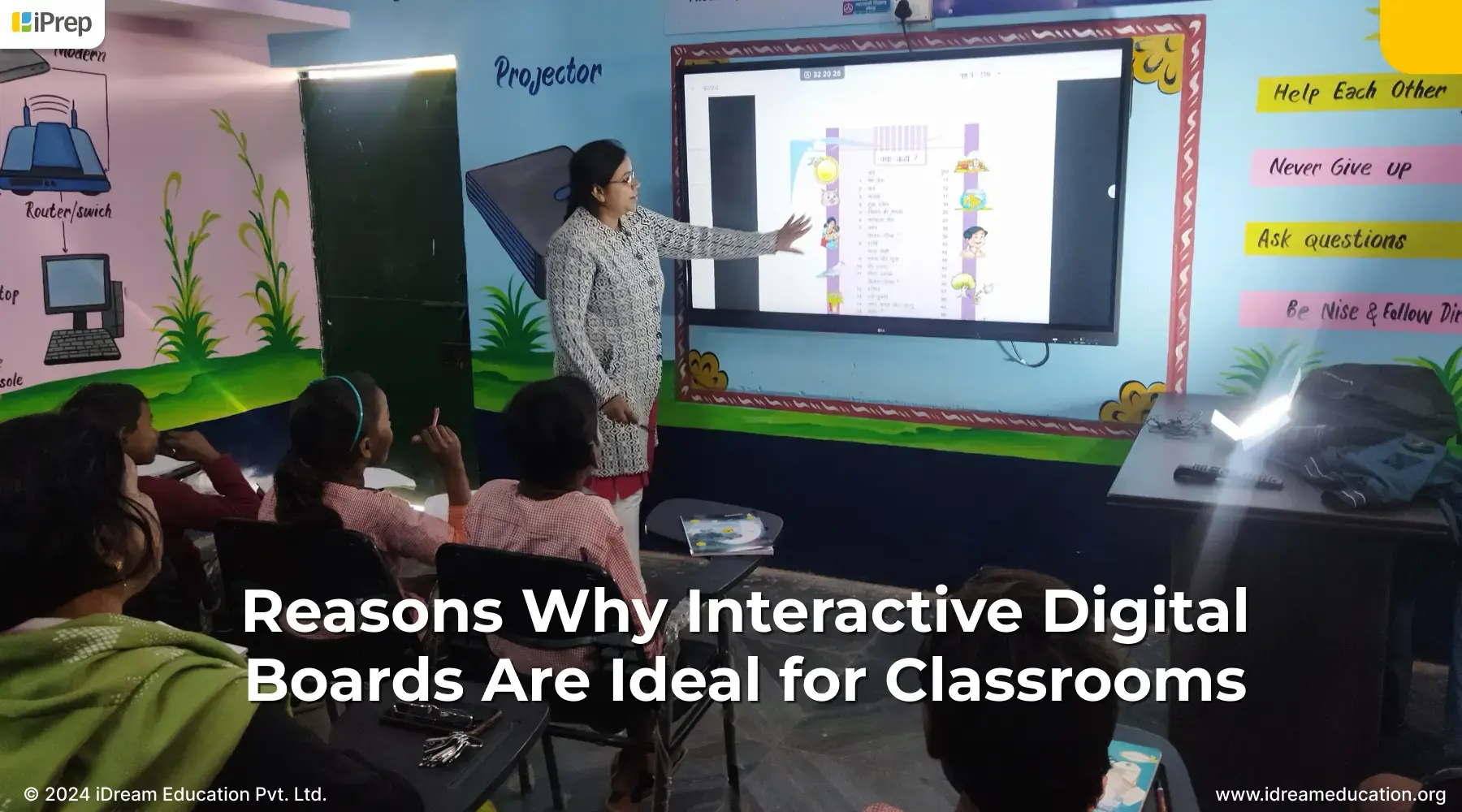
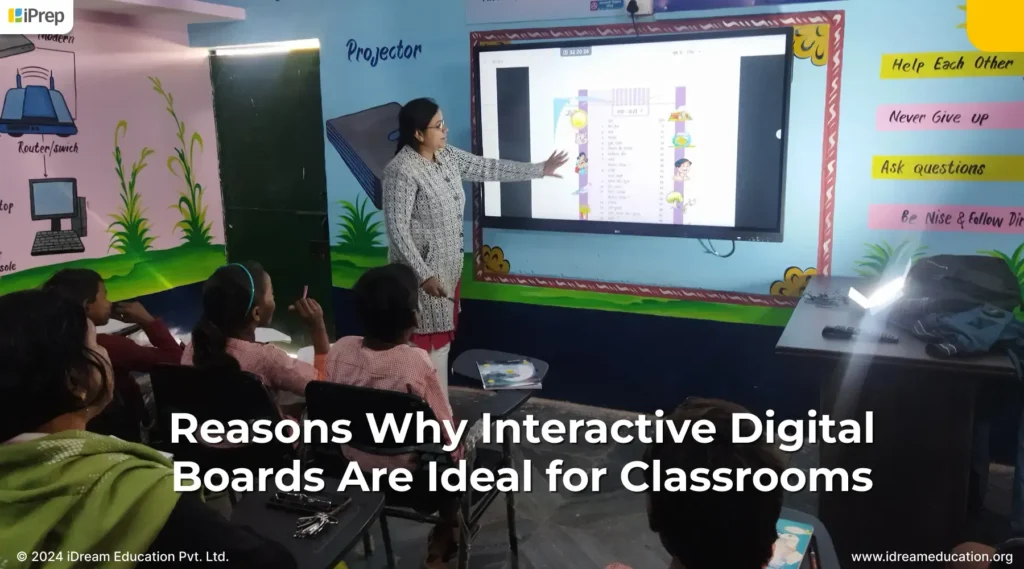
Reasons Why Interactive Digital Boards Are Ideal for Classrooms

Infographic highlighting Reasons Why You Should Purchase Interactive Digital Boards for Classrooms from iDream Education

Imagine a classroom where learning about the human body isn’t just from textbooks, but by zooming in on a beating heart displayed on a giant interactive screen. Students can explore the solar system or watch historical events unfold on screens like a movie. That’s the immersive experience interactive digital board (IDB) brings to classrooms.

What are Interactive Digital Boards?

Interactive Digital Boards (IDBs) are large, touch-sensitive displays that combine the simplicity of a whiteboard with the power of a computer. They allow teachers and students to interact with digital content in a dynamic and engaging way, turning classrooms from passive learning environments into interactive spaces of exploration. Interactive digital boards, often called smart boards or interactive whiteboards, enhance the way teachers teach and students learn.

But how do these digital boards work?

Interactive digital boards essentially function as giant computer monitors. Here’s how the interaction happens:

  • Touchscreen Technology: IDBs use various technologies to detect touch, the most common being infrared or resistive touch. When you touch the board, it senses your finger (or a special stylus) and translates that into a signal the computer understands.
  • Access to Tools and Software: Tools/software runs on the connected computer. This software allows for interactive elements, like writing directly on the board, manipulating objects, and accessing a wide range of educational software for digital learning in classrooms.
  • Projection and Display: While some IDBs are self-contained displays, others use projectors. In projector-based systems, the computer is outputted onto the board’s surface, which then becomes interactive.

IDBs are more than just a big screen!

Interactive Digital Boards in classrooms offer a wealth of features that go beyond traditional interactive whiteboards

  • Multimedia Integration: It allows the easy display of images, videos, and audio. This makes classroom learning engaging where teachers can cater to the different learning styles of students
  • Annotation and Collaboration: Teachers and students can write, draw, and interact with content in real time. This makes comprehension simpler and easily retainable.
  • Internet Connectivity: The device can be connected to the internet, making it easy for teachers to access online resources, educational games, and interactive activities directly from the board. 
  • Software Compatibility: Teachers can access various educational software programs tailored to specific curriculum, subjects, and learning objectives.

Let us now explore reasons why interactive digital boards are ideal for classrooms
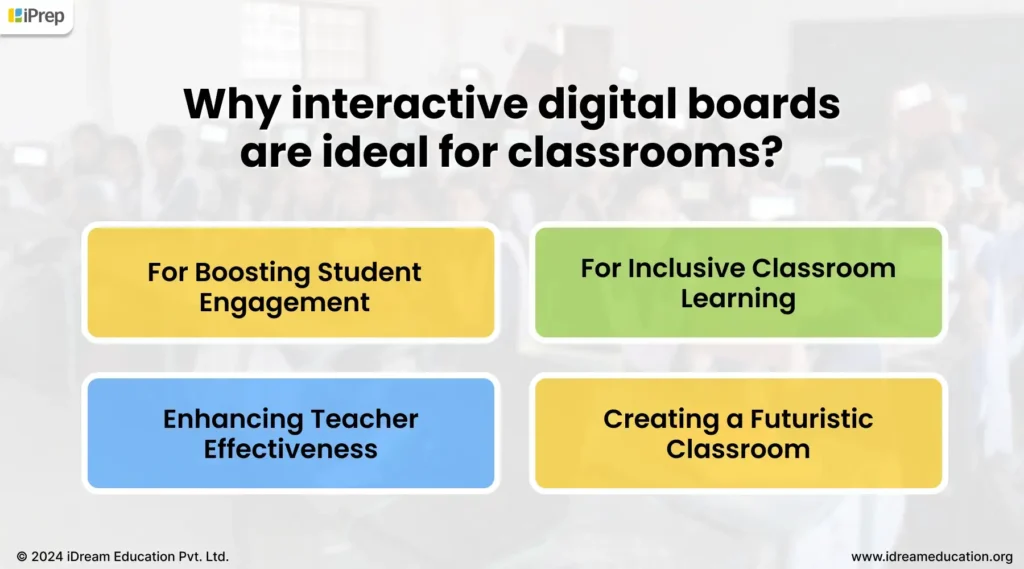
Infographic highlighting Reasons Why You Should Purchase Interactive Digital Boards for Classrooms from iDream Education

For Boosting Student Engagement:

Interactive digital boards are ideal for classrooms because they turn learning into an engaging and interactive experience. With the interactive digital board set up in classrooms, students become active participants in the lesson. It motivates them to come forward, highlight content, solve problems on the board, and collaborate with peers. The hands-on approach makes learning enjoyable and memorable, leading to better retention of information. Additionally, interactive digital boards allow teachers to cater to diverse learning styles by incorporating multimedia elements such as videos, animations, simulations, and interactive games. This multi-sensory approach captures students’ attention and makes comprehension simpler. Furthermore, learning in this smart class setup facilitates immediate feedback and personalized learning in a classroom setting. Students can receive instant guidance and corrections on their work, reinforcing their understanding and improving their performance.

For Inclusive Classroom Learning:

Interactive digital boards are ideal for classrooms because they foster an inclusive learning environment by providing multiple ways for students to participate and express themselves. With digital boards in classrooms, students can work together directly on the board, brainstorming ideas, solving puzzles, or creating presentations of their group projects. On the other hand, teachers and students can easily share their work, annotate documents and images, and conduct Q&A rounds in real time. Through this, students of all backgrounds engage in group work, promoting a sense of belonging and shared learning.

Enhancing Teacher Effectiveness:

Interactive digital boards are ideal for classrooms because they empower teachers to create effective and engaging lesson plans. By incorporating visuals and interactive content, these tools bring abstract concepts to life, making even complex subjects more accessible and interesting for students.  With the ability to integrate preloaded educational software through OPS, the device further enhances teachers’ capabilities by providing access to pre-made lesson plan templates, curriculum-aligned content, adaptive assessments, and more. This saves their valuable time in lesson preparation. Moreover, preinstalled educational software such as Coach App enables teachers to create custom content tailored to their classroom needs.  By recording live lectures and quick revision sessions, teachers can offer differentiated instruction, ensuring that all students are taught in ways that resonate with their learning styles. This personalized approach enhances students’ understanding and promotes teaching effectiveness.

Creating a Futuristic Classroom:

Interactive digital boards are ideal for classrooms because of their ability to foster essential 21st-century skills in students. By providing hands-on experience with digital tools and navigating online resources, these boards empower students to become proficient in navigating technology. This is a crucial skill set for success in the contemporary workforce. Further, by using digital boards for interactive activities, and to access to a wealth of educational content, we can empower students to develop critical thinking, problem-solving, and digital literacy skills that are increasingly in demand across various industries. As a result, interactive digital boards not only enhance the learning experience but also equip students with the tools they need to thrive in the digital age.

With the growing emphasis on implementing smart classrooms in schools across India, the Minister of Human Resource Development introduced Operation Digital Board (ODB) to bring interactive digital learning to all government and government-aided schools from Class 9 onward, as well as higher education institutions. This initiative leverages technology to enhance the quality of education nationwide, making interactive digital boards an ideal choice for classrooms.

Buying an Interactive Digital Board for Classrooms? Your Essential Spec Checklist
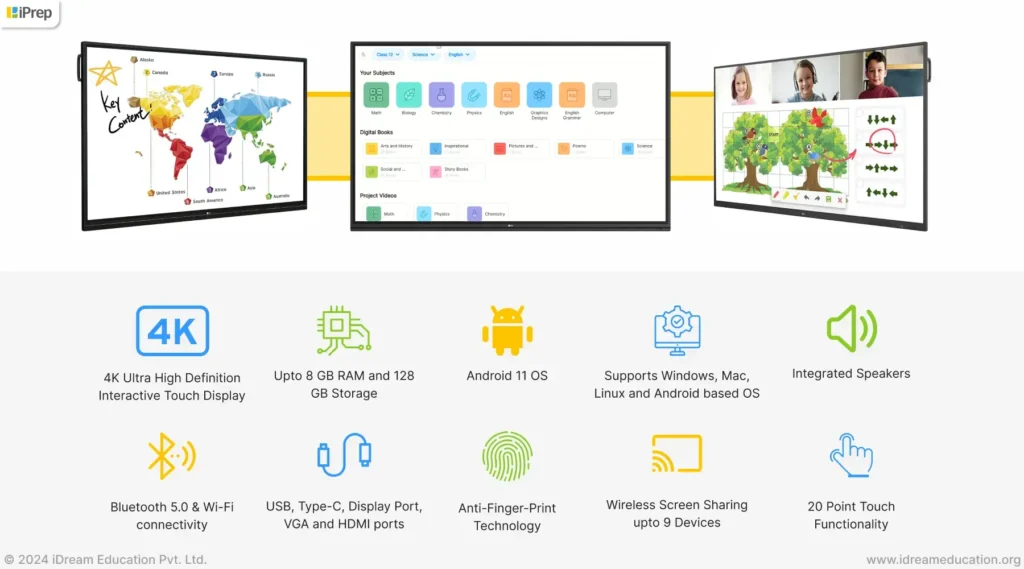
Image showing key features of an interactive digital board for classrooms
PanelScreen Size – 65″Backlight Type  – DirectPanel Technology – IPSAspect Ratio – 16 : 9Native Resolution – 3,840 x 2,160 (UHD) 
Connectivity (Jack Interface)
Input –  HDMI (3, HDCP2.2/1.4), RGB, Audio In, RS232C IN, RJ45(LAN), USB3.0 Type A(3), USB2.0 Type A(3)
Output –  Audio Out, Optical, Touch USB (2)
OPS CompatibilityOPS Type Compatible – Yes (Slot)OPS Power Built In  – Yes
Android SystemSoC  – Dual core A73+Dual core A53 GPU – Dual Core Mail G51 Internal Memory (Storage) – 32GB Internal Memory – RAM 3GB Wi-Fi  – 802.11a/b/g/n/ac LAN –  Gigabit LAN Bluetooth Bluetooth –  4.0

By considering the reasons and specifications outlined in this blog you can create dynamic, engaging, and inclusive classroom learning environments. It’s time to invest in the future of education with the power of interactive digital boards.

If you are planning to buy an Interactive Digital Boards for Classrooms, contact us at +91 7678265039 or write to us at share@idreameducation.org
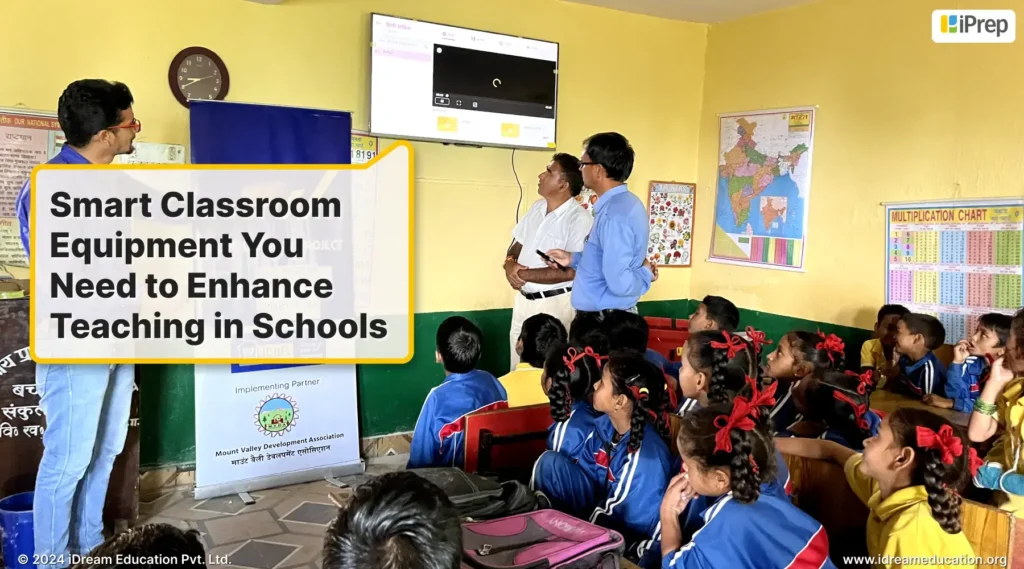
Here’s a quick video that highlights the benefits of interactive digital boards for teaching and reason why they ideal for classrooms

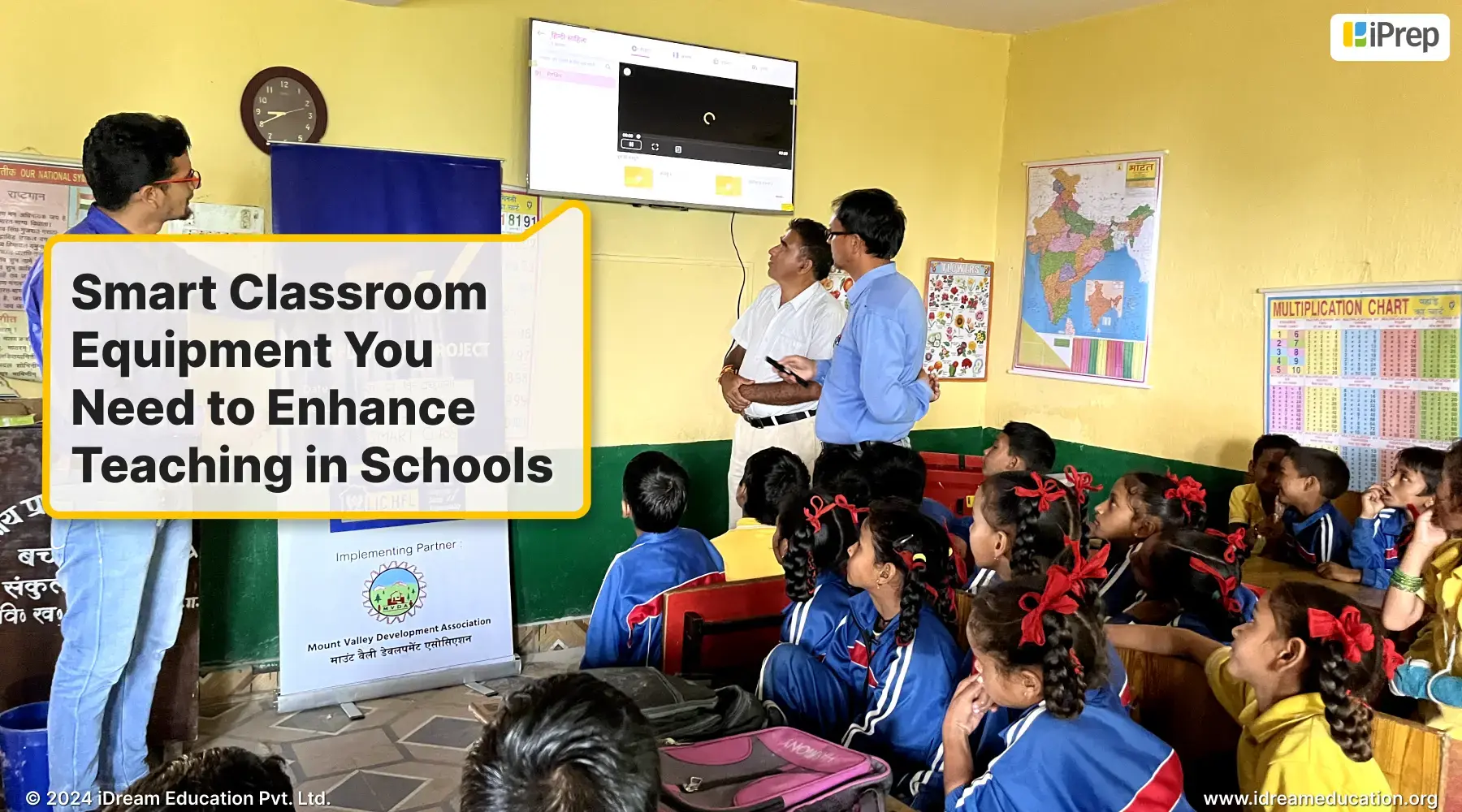
Smart Classroom Equipment You Need to Enhance Teaching in Schools

A smart class setup with all smart classroom equipment by iDream Education

When we shop for our homes, we often envision investing in items that are not just durable but also serve a purpose for everyone in the household. The same principle applies when it comes to outfitting classrooms for the future of education. Whether you’re a social sector partner or a government body, the goal is to maximize the impact of educational technology in schools. This is why it’s crucial to carefully consider the essential smart classroom equipment.

A smart classroom is more than a collection of hardware components; it’s a carefully organized ecosystem where technology amplifies the impact of educational partnerships 

While hardware like smart boards, interactive flat panels, and smart TVs are essential, the true power of a smart classroom lies in the software and other digital tools that empower teachers and engage students. By integrating hardware and software seamlessly, we can foster an environment where education is not just a transaction but a dynamic, personalized journey. This holistic approach to smart classroom equipment strengthens educational partnerships, ensuring that technology catalyzes meaningful learning experiences.

Choosing the right smart classroom equipment includes hardware: Smart TVs, Interactive Flat Panels, and Smart Boards

When planning an educational program, the choice of smart classroom hardware is an important decision. Here’s a breakdown of three popular options to enhance teaching and learning:

  • Smart TV: Smart TVs offer a familiar and affordable entry point for a smart class education program. Their Android-based interface, similar to smartphones, ensures a comfortable transition for both teachers and students. These displays are easy to set up, and manage, and don’t require additional furniture or space. 
  • Interactive Flat Panel: Interactive Flat Panels (IFPs) provide a more immersive experience. These large-format touchscreens, also Android-based (with Windows compatibility via OPS), enable dynamic interaction with educational content. Their size ensures visibility in larger classrooms, and the wide array of educational apps expands teaching possibilities. 
  • Smart Board: Smart Boards blend the traditional with the digital. These Android-powered devices function as both a digital board and an interactive display. Teachers can present lessons on a large digital canvas, while students engage directly with content on the board. This versatility bridges traditional and modern teaching styles. Smart Boards are similar to interactive flat panels.

The best choice for your classroom depends on your specific needs. Smart TVs suit smaller classrooms with limited budgets. Interactive Flat Panels excel in larger spaces where interactivity and visibility are key. Smart Boards offer a balanced solution, blending traditional and digital approaches. Consider your classroom size, budget, and desired level of interactivity, when making your decision on hardware. This is a main part of all smart classroom equipments.

Other Smart Classroom Equipment needs to be considered while planning an education program to achieve a meaningful impact

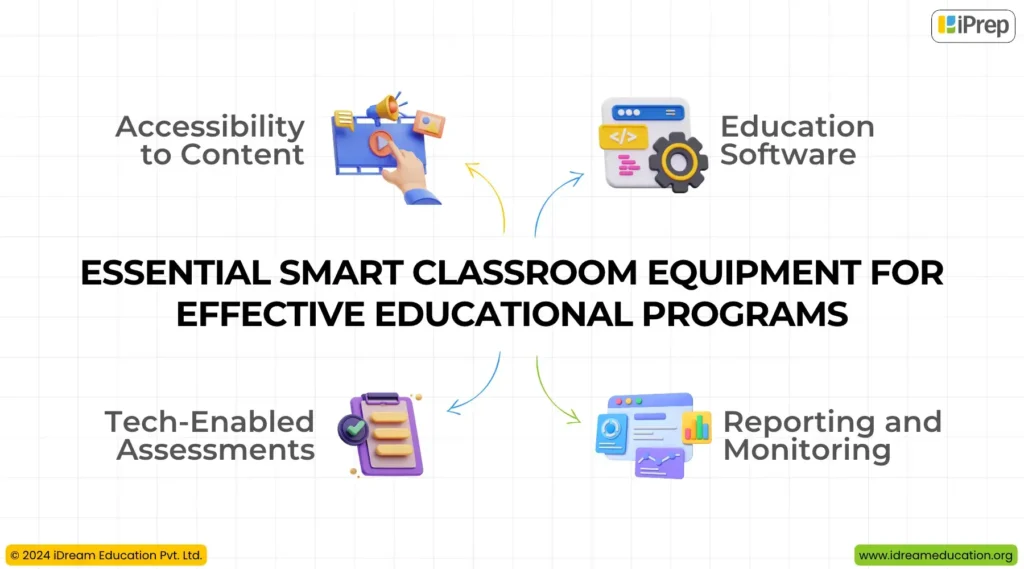
An illustration showcasing a list of smart classroom equipment by iDream Education, designed to enhance teaching in schools

Education Software

Implementing only smart classroom hardware will not achieve the goals of educational programs. Without access to appropriate educational software, teachers will be forced to search for relevant content akin to textbooks on the internet. This not only leads to inefficient time management but also risks underutilizing the potential of the technology investment.

Therefore, the most important smart classroom equipment is comprehensive educational software. The platform offers curriculum-aligned digital content, interactive exercises, and engaging videos that foster conceptual understanding. By empowering teachers with a multi-category digital content library, solutions such as iPrep not only enhance classroom engagement but also improve the learning experience into a joyful journey. This smart classroom equipment ensures that technology serves as a catalyst for educational growth, rather than merely replacing outdated tools with digital counterparts.

Accessibility to Content

Another significant piece of smart classroom equipment is the device that delivers content for the smart class hardware. This is crucial because many government schools face challenges with internet speed and connectivity, making it difficult for teachers to access and use smart classrooms, even when content is available. To address this issue, we provide preloaded content on pen drives for smart classes, ensuring offline access to digital learning materials. Therefore, pen drives become the most important smart classroom equipment for education programs. Consequently, the internet is only required during the installation and initial login on the iPrep learning platform. After that, all content within iPrep can be accessed offline, ensuring uninterrupted learning experiences regardless of internet connectivity limitations.

Reporting and Monitoring

Continuous monitoring of smart class usage is essential to keep track of the progress of the education program and ensure data-driven decision-making for all stakeholders. iPrep’s reporting dashboard is a smart classroom equipment that provides a comprehensive solution to monitor usage by automatically syncing reports whenever a smart class device connects to the internet. This dashboard empowers program managers to assess the impact of their initiatives, while teachers track their usage patterns, fostering continuous improvement. Additionally, this real-time data allows the backend team to identify trends and implement targeted strategies to motivate and retrain teachers, ultimately optimizing the utilization of smart class technology.

Tech-Enabled Assessments

Assessments play a pivotal role in education programs, going beyond the implementation of education technology. They are integral components of smart class equipment, providing valuable insights into student progress and areas for improvement. By utilizing a combination of baseline, midline, and endline assessments, we comprehensively evaluate student learning improvements. Leveraging tablets and platforms like Zoho Form, baseline assessments gauge students’ foundational knowledge across various subjects and grade levels. This data-driven approach further enables personalization and catering to individual learning needs. Similarly, Endline assessments offer a snapshot of student progress at the culmination of a program. By comparing baseline and Endline data, teachers, program managers, and other stakeholders can measure the effectiveness of teaching through smart classes and identify areas for enhancement. This data-driven cycle of continuous improvement ensures that education programs are constantly evolving to best serve students. 

Major Smart Class Equipment with Price Options: What Fits Your Classroom Best?

The right smart classroom equipment with price options can significantly influence both your setup cost and the overall effectiveness of digital learning. Here’s a quick breakdown of price of Smart Class Equipment to help you compare:

Projectors (₹20,000 – ₹60,000):

A traditional option for smart classes, projectors are affordable but often lack interactivity and modern features. They’re better suited for visual display than student engagement.

Smart TVs (₹20,000 – ₹80,000):

Offering high-resolution screens, better sound, and built-in Android or other OS, Smart TVs are a solid mid-range choice. They’re great for displaying content but may lack interactive tools for classroom collaboration.

Interactive Flat Panels / Smart Boards (₹80,000 – ₹2,00,000+):

These are the most advanced touch-enabled options, with built-in digital whiteboards, multi-touch support, high brightness, and Android/Windows OS. Ideal for modern pedagogy and interactive learning.

Education Software with Content License (₹8,000 – ₹10,000 per classroom/year):

This is one of the most integral parts of a smart class setup. If your hardware is already in place, this is the only component you pay for annually/3 years/lifetime. The license typically includes curriculum-aligned digital content across all grades from early years to Class 12. This is available in bilingual or single-medium options.

Case Study: How Smart Classroom Equipment in Smart Class Education Program Strealiness Need and Result in Improvement in Learning 

Earlier in 2022, we implemented “iPrep Digital Class,” our smart classroom solution, in 10 government schools in Noida, in collaboration with LG. To create immersive and interactive classrooms, we set up a 65-inch touch panel with preloaded offline digital content in both Hindi and English for grades 6th to 12th across all subjects.

Learn about benefits of Smart Classroom

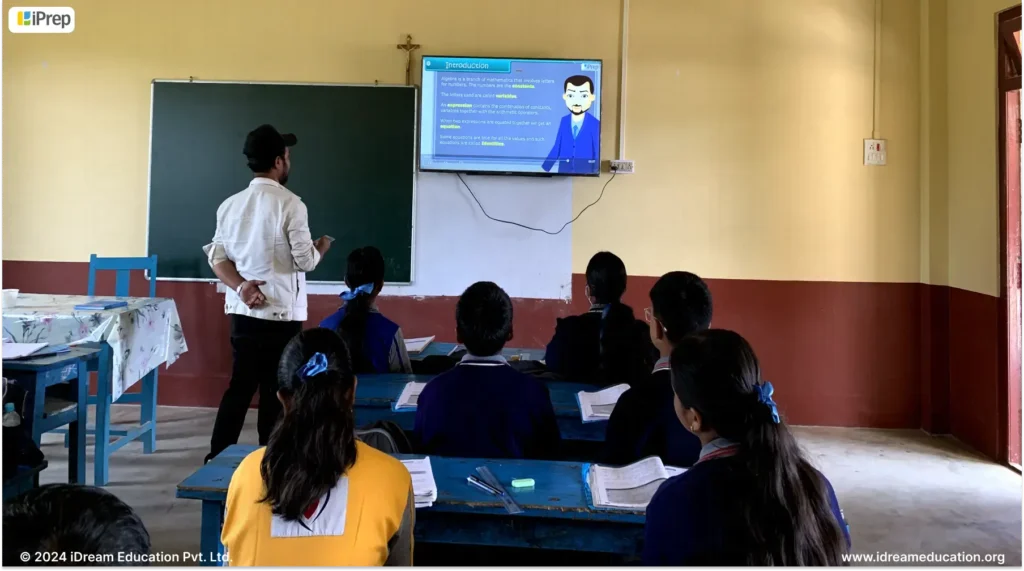
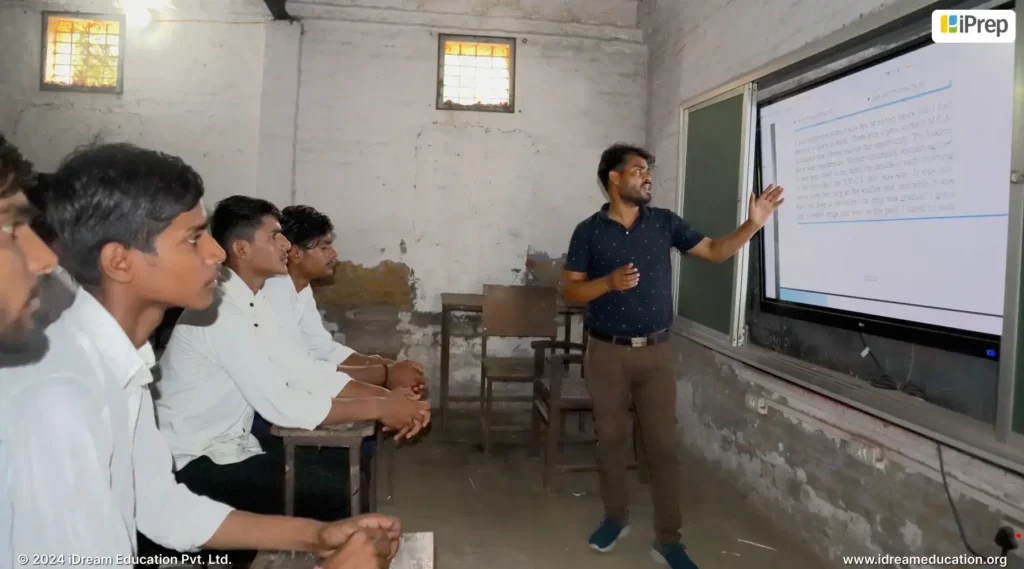
A teacher using a preinstalled learning platform, iPrep, on a 65-inch interactive flat panel (IFP) setup by iDream Education to teach a classroom of students.

Measuring the Impact

We conducted baseline assessments at the start of the 2023 academic year with 514 students and endline assessments at the end of the academic year with 217 students who were common in both assessments. The results demonstrated a positive improvement in student learning outcomes:

  • Overall Progress: The majority of students advanced from beginner to intermediate skill levels, with some even achieving grade-level proficiency by the endline assessment.
  • Math Improvement: A notable shift was observed in math, with many students initially at beginner levels reaching grade-level proficiency or sustaining intermediate/advanced performance.
  • English Grammar: Balanced initial skill distribution saw a substantial increase in advanced and grade-level learners by the endline.
  • Science: Decrease in beginner-level students and significant growth in grade-level proficiency across most grades.
  • SST: Noticeable shift from beginner towards intermediate and advanced levels, with some students achieving grade-level proficiency.

These improvements were achieved through a combination of ongoing teacher support and effective smart classroom equipment:

  • Teacher Training: Our ground team provided monthly retraining and motivation sessions for teachers, ensuring consistent usage and exploring innovative ways to integrate smart classes into their teaching practices.
  • Consistent Usage: iPrep content was regularly utilized throughout the year, mostly in August, September, and December, reflecting its integration into regular teaching routines.
  • Grade-wise Engagement: Class 9 and Class 10 showed the highest usage of iPrep, highlighting its importance in higher grades for reinforcing concepts.
  • Interactive Learning: Video lessons and practice sessions were the most used categories, indicating a preference for interactive learning in classrooms.

These positive outcomes were made possible by a carefully considered selection of smart class equipment, including:

  • 65-inch IFP panels with preinstalled learning platform iPrep.
  • Curriculum-aligned content on preloaded pen drives 
  • Real-time data tracking to monitor usage and progress
  • Baseline and Endline assessments to gauge learning level and improvement of students in a year

Our experience in Noida exemplifies how the strategic integration of smart classroom equipment, coupled with ongoing teacher support and data-driven insights, can result in improvement in learning. 

The Way Forward

The right smart classroom equipment is more than just a technology in classrooms; it’s a catalyst for improving learning experiences. By carefully considering the needs of your students, teachers, and curriculum, you can plan an effective education program that fosters engagement, collaboration, and deep understanding. Partner with us for a comprehensive selection of smart classroom equipment that is both impactful and cost-effective.

If you are planning to implement a comprehensive smart class education program with all the smart classroom equipment, or smart classroom equipment price, you may contact us at +91 7678265039 or write to us at share@idreameducation.org. You can also share you details here.

K-12 E-Learning Software Aligned with NEP 2020: A Comprehensive Solution Selection Guide

Illustration of K-12 E-Learning software aligned with NEP 2020 guidelines

Think of a well-stocked kitchen, equipped with a variety of appliances and utensils, each designed for specific culinary tasks. The right tools can simplify cooking and elevate the final dish. Similarly, K-12 e-learning software is a well-equipped kitchen, offering a range of digital content to enhance teaching and learning. Selecting the right platform can empower teachers to create engaging and effective learning experiences for their students. This ultimate guide is your recipe for navigating the vast landscape of K-12 e-learning solutions and finding the perfect education software for your school education program in alignment with NEP 2020.

Why do you need K-12 E-Learning Software?

The National Education Policy 2020 (NEP 2020) envisions a transformation in India’s education system, placing technology at the forefront of its goals. This shift aims to equip both students and teachers with the tools and skills needed to thrive in the 21st century. 

Let’s understand its necessity in alignment with NEP 2020:

  • Personalized Learning: NEP 2020 emphasizes student-centric learning, leveraging technology to tailor educational content to individual needs and learning styles. This can be achieved through adaptive assessments, AI-driven recommendations, and interactive learning platforms.
  • High-Quality e-Content: The National Education Policy calls for the development and dissemination of top-tier digital educational resources, including videos, simulations, and interactive modules. These resources on one E-Learning Software will be instrumental in both student learning and the continuous development of teachers.
  • Teacher Empowerment: To enable high-quality e-content for capacity building of teachers and learners, for continuous growth and relevant learning in schools.
  • Scaling Digitalization: NEP 2020 aims to bridge the digital divide by ensuring that every school in India has access to the necessary digital infrastructure and resources. This includes initiatives to provide internet connectivity, devices, E-Learning solutions, and training to all students and teachers.

By enabling students and teachers with the NEP compliant K-12 E-Learning software, we can create a more engaging, personalized, and effective learning environment in schools and at home. 

Points to be Considered while Choosing the K-12 E-Learning Software Aligned with NEP 2020

Multi-Category Content

A new approach to K-12 education is emerging, shifting away from rote memorization towards meaningful learning. Therefore, comprehensive E-Learning software goes beyond mere memorization to offering curriculum-aligned content in multi-category such as animated videos, practice exercises, practicals, notes, and syllabus books. This multifaceted approach caters to diverse learning styles and abilities, ensuring students find meaning and relevance in their studies. Two categories gaining significant importance in promoting conceptual learning are bite-sized video lessons and chapter-aligned practice. Textbook content in these forms allows students to grasp concepts within short time spans and even aligns with the NEP 2020’s emphasis on moving away from exam-centric learning.

Bilingual Education

While English proficiency is undoubtedly valuable, it’s crucial to recognize the importance of local languages in the early years of education. Children primarily communicate in their mother tongue with family and peers, making it essential to prioritize learning content in their regional language. A comprehensive e-learning software such as iPrep aligns with this principle by offering content not only in English and Hindi but also in seven other local languages. This approach fosters bilingualism, supports the existing school ecosystem, and empowers students by allowing them to learn in a language they are comfortable with. By promoting multilingualism in line with the NEP 2020 principle, iPrep is enhancing classrooms across India and reinforcing the power of language in teaching and learning.

Beyond Academics

While academic learning is crucial, it is equally important to foster the holistic growth of students to nurture them into conscious citizens. This involves instilling an understanding and appreciation of ancient culture, leadership stories, ethics, and morals, as emphasized in the National Education Policy (NEP). The NEP’s 2020 vision of embedding life skills with cultural pride necessitates E-Learning software such as iPrep, which offer both academic content and resources that go beyond, such as inspirational biographies, climate action modules, moral education, and information on health, safety, sanitation, and more. By incorporating these diverse elements, iPrep supports the holistic development of students during their formative years, preparing them to become well-rounded individuals rooted in their cultural heritage.

Unrestricted Access to Content of any Grade

Every student’s learning journey is unique, encompassing diverse abilities, styles, speeds, and interests. In line with the NEP 2020 vision, E-Learning software such as iPrep eliminates rigid boundaries between subjects, activities, and streams. With unrestricted access to content across all grades and disciplines, students can seamlessly switch between grade levels, explore vocational courses, or enhance their skills, all in a non-judgmental environment. This empowers students to discover their passions, chart personalized learning paths, and eliminate harmful hierarchies and silos in education exactly in inline with NEP’s vision.

Adaptive learning

To truly align with the National Education Policy’s 2020 vision of recognizing, identifying, and fostering students’ potential while ensuring equity and inclusion, E-Learning Software must be inherently adaptive. By empowering students to identify their strengths and weaknesses, adaptive e-learning platforms can help students derive their unique capabilities and learn accordingly. iPrep PAL stands out as an exemplary E-Learning software, designed with guided mechanisms to foster equality and inclusion. By providing personalized learning paths and addressing learning gaps, iPrep PAL enables students to thrive at their own pace, free from judgment, and ultimately achieve their full potential.

Continuous Reporting and Monitoring

As envisioned by the NEP 2020, continuous monitoring of learning progress is crucial to gauge learning improvement. Therefore, comprehensive e-learning software is one that iPrep aligns perfectly with this vision by offering real-time tracking and analysis of student activity. iPrep, through its reporting dashboard, provides teachers/parents and other stakeholders with continuous insights into student engagement, learning progress, and areas needing improvement, fostering a data-driven approach to education.

Easy-to-use interface

K-12 learners are increasingly tech-savvy, yet many students in rural areas still face limited access to technology. This digital divide necessitates e-learning software that is both accessible and universally designed. iPrep addresses this challenge by adhering to universal design principles and offering an intuitive and bilingual user interface. This makes navigation simple for students of all ages and backgrounds, ensuring that every learner can benefit from a high-quality learning experience.

Beyond the features within the E-Learning platform, it’s crucial to consider the following external factors to ensure a successful implementation:

Hardware and OS Compatibility:

To bridge the digital divide and promote equitable access to education as per NEP, it’s crucial for e-learning software to be universally compatible. iPrep addresses this need by offering seamless functionality across a wide range of devices, including mobile phones, tablets, Chromebooks, laptops, interactive flat panels, and smart TVs. Additionally, iPrep supports major operating systems like Android, Tizen, Windows, and Linux. This comprehensive compatibility ensures that students and teachers, regardless of their location or preferred device, can readily access educational content, fostering inclusive learning opportunities and empowering last-mile learners.

Offline Content

While internet access is steadily expanding, many regions still struggle with low bandwidth or no connectivity at all. Learning, however, should not be dependent on the availability of the internet. This reality highlights the critical need for offline digital content. Moving beyond the conventional online-only model, iPrep – an e-learning software is built as an offline-first learning platform that adapts to the specific needs of education programs. This ensures that digital learning remains accessible to every learner.

By meticulously considering the points outlined above,

We can enable a solution that breaks barriers and fosters unlimited learning in alignment with the vision of NEP 2020. The path forward involves collaboration among stakeholders, including the social sector, government bodies, hardware providers, and other ecosystem partners, to ensure that quality education reaches every learner. Through collective efforts, we can create a future where technology-enabled education is not only accessible but also comprehensive, catering to the diverse needs of learners across India.

To enable iPrep, our NEP aligned E-Learning Software in your education program/initiative, contact us at +91 7678265039 or write to us share@idreameducation.org. You can also share your details here.

How to Use a Tablet for Teaching? Tips and Tricks for Maximum Classroom Engagement

Teacher using a tablet for teaching to engage students in classroom learning

With the schemes and initiatives of government-providing tablets for teaching, one might assume the approach to teaching will also change. However, many teachers remain hesitant to fully use these devices, missing out on the opportunities the teacher tab offers. 

Based on our extensive experience working with government school teachers, we learned that one significant factor hindering the adoption of teacher tabs: is a resistance to technology in general, not solely limited to tablets but extending to all classroom devices. Recognizing this, we have fine-tuned our solutions, including smart classrooms, digital libraries, and tablets, with a focus on user-friendliness and intuitive design. By prioritizing a seamless user experience, we aim to eliminate any hesitation teachers may have, encouraging them to confidently use technology to deliver engaging lessons and foster a collaborative learning environment.

To maximize the use of teacher tablets, we should first focus on prioritizing the needs of teachers such as:

Choosing the Right Tablet for teachers: 

Based on our extensive experience collaborating with teachers, we understand that they are most comfortable with their Android-based mobile devices. Given this natural friendliness for Android phones, Android tablets present a seamless transition and an ideal device to encourage regular use of technology by teachers. The familiar interface and intuitive functionality of Android tablets make them a user-friendly and accessible option for teachers to incorporate into their daily routines.

Essential Apps for Teachers: 

Simply providing the device will not be enough; it will merely add another piece of technology in  teachers’ hands. Instead, the emphasis should be on equipping teacher tablets with educational software that enhances teaching by making it more engaging, simple, and efficient. Preinstalled educational solutions on tablets can assist teachers in planning structured lessons, teaching with diverse content, and developing personalized classroom instruction.

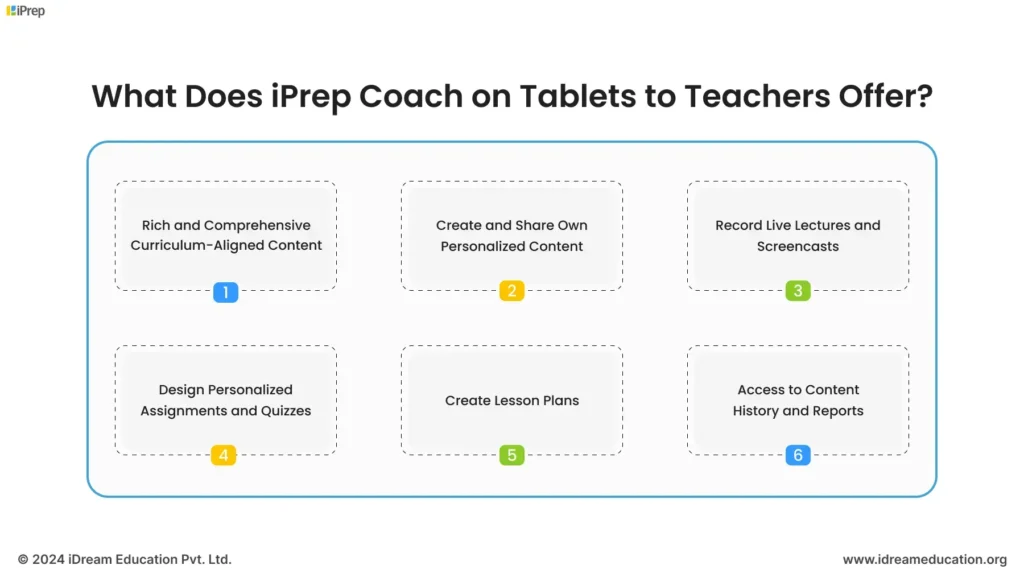
Considering this, we have developed an educational solution specifically for teacher tablets called iPrep Coach.

The Teacher’s Toolkit is a comprehensive solution designed to empower teachers and streamline their workflow. This all-in-one platform combines a wealth of features, allowing teachers to effortlessly create structured lesson plans with diverse content, design personalized assessments for their classes, and record live lectures to foster a more engaging and interactive learning environment for students. 

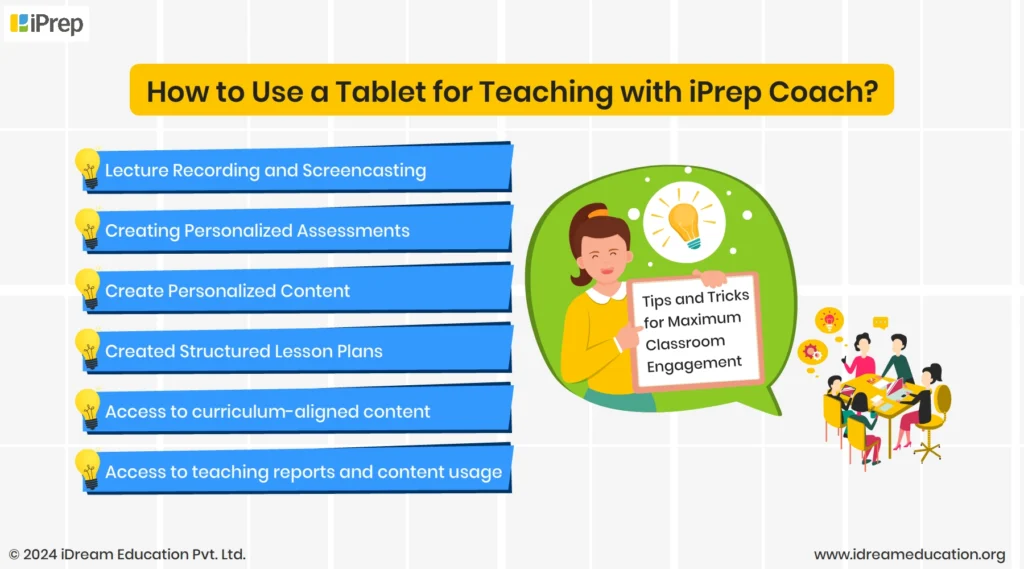
Let us now see, How to Use a Tablet for Teaching with iPrep Coach?

Tips and Tricks for Maximum Classroom Engagement

Image highlighting features of  iPrep Coach by iDream Education designed for tablet for teaching

Lecture Recording and Screencasting

With iPrep Coach on tablets, teachers can effortlessly record lectures both inside and outside the classroom. This fosters a culture of personalized lesson creation, enabling teachers to craft video resources for revision, broadcast on TV screens when they are unavailable in cases of administrative tasks, or share with colleagues for teaching in their absence. Further, teacher-recorded lectures can become invaluable resources for absent students, allowing them to catch up seamlessly. 

Creating Personalized Assessments

With iPrep Coach on tablets, teachers can create personalized assessments, streamlining the creation and delivery of tests/practice. Teachers can craft assessments in a structured format, tailoring them for general practice or adaptive learning sessions. The intuitive interface allows for easy input of questions and answer choices, and facilitates quick in-class practice sessions or comprehensive evaluations. This feature enhances the learning experience by enabling teachers to deliver targeted assessments that align with individual student needs and conduct collaborative classroom activities aligned with lessons.

Create Personalized Content

iPrep Coach on teacher tabs empowers them to become creators of their educational resources. With this, teachers can leverage their subject matter expertise to design and upload personalized materials in a wide array of formats, including videos, notes, assessments, and interactive presentations. This flexibility allows teachers to tailor their lessons to the unique needs and preferences of their students, enhancing engagement and fostering a deeper understanding of the subject matter. This enhances teaching from a reliance on pre-existing content to an empowering journey of creation and innovation. iPrep coach on teacher tabs will not only make classroom teaching effective and engaging but also support your continuous professional development as mentioned in NEP 2020. 

Created Structured Lesson Plans

iPrep Coach empowers teachers to create comprehensive and systematic lesson plans, centralizing all relevant resources in one convenient location. Structured lesson plans are essential for effective teaching, ensuring easy comprehension, fostering collaboration, and enhancing overall learning within the classroom. Without adequate preparation, classroom sessions may leave some concepts unexplained or inadequately discussed, hindering student understanding. Ability to create structured lesson plans on iPrep Coach teachers get clarity on the topics to be taught using content from different resources seamlessly. This approach streamlines the teaching process and makes the subject matter easily comprehensible for all students.

Access to curriculum-aligned content

iPrep Coach empowers teachers with instant access to a vast library of curriculum-aligned digital content, streamlining lesson planning and delivery. Teachers can seamlessly integrate engaging animated lessons, practice questions, syllabus books, and concise notes into their classroom sessions. This wealth of resources is conveniently available on a tablet for teaching, enabling teachers to quickly refer to textbooks, plan lessons, and access relevant materials on the go. By leveraging iPrep’s readily available content, teachers can save valuable time and focus on delivering impactful, interactive lessons that cater to diverse learning styles.

Access to teaching reports and content usage

iPrep Coach empowers teachers with comprehensive data-driven insights into their teaching practices. By tracking detailed information such as specific topics taught, duration of lessons, and types of videos used, teachers can gain a granular view of their classroom activities.  Moreover, iPrep Coach on a tablet for teaching provides an overview of average teaching time with digital and personalized content, number of uploads, and usage statistics categorized by subject, class, and language. This holistic approach equips teachers with a deeper understanding of their instructional methods and the impact of digital resources, enabling them to make informed decisions for continuous improvement.

The fusion of iPrep Coach with a Tablet for Teaching can undeniably enhance the classroom experience 

While we’ve explored some essential tips and tricks, the true potential lies in the hands of teachers, who can use iPrep Coach on tablets to elevate their teaching approach through innovation and creativity. By embracing this synergy, we can update teacher tablets to a comprehensive teaching solution.

For integrating iPrep Coach on tablets for teaching or seeking a comprehensive teacher tablet solution, please contact us at +91 9501110665 or write to us at share@idreameducation.org
Smart Boards in Schools: A Complete Guide to Features, Benefits & Usage in Schools

Discover how integrating a Smart Board into your school education program can enhance classroom learning, enhance student engagement, and streamline the teaching approach with its interactive features.

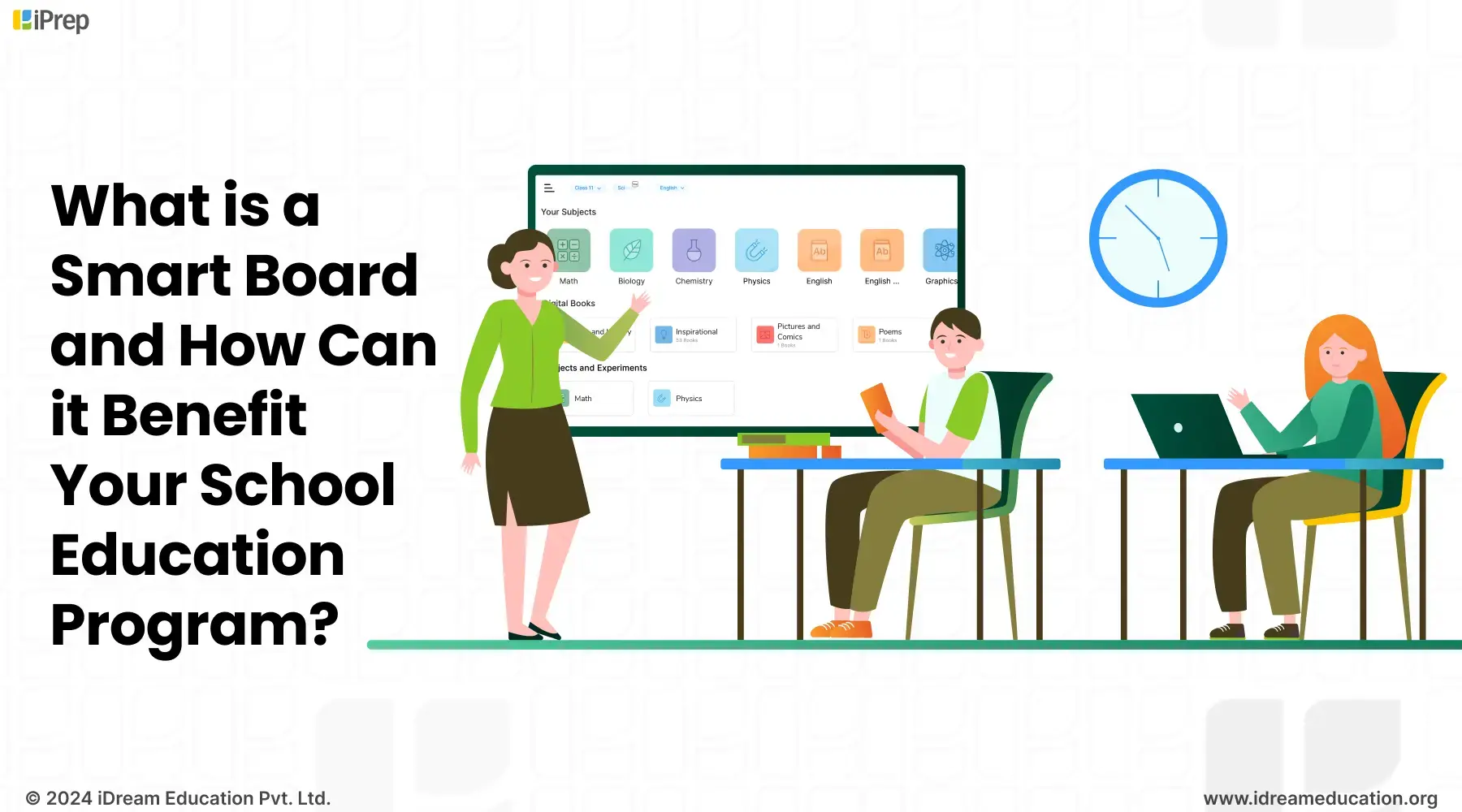
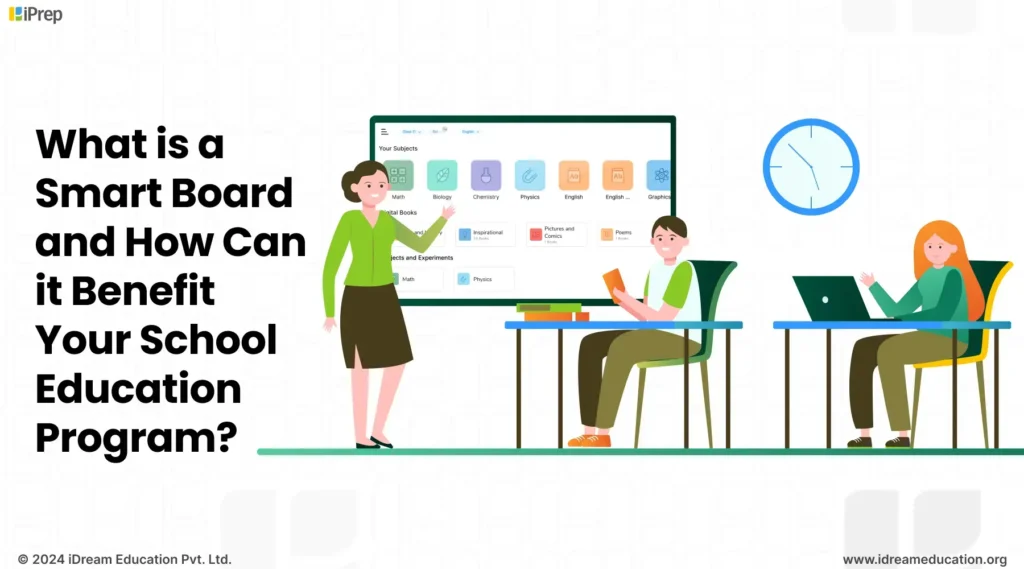
A illustration of classroom setting with a smart board at the front, displaying educational software

For decades, projector-based boards served as the base of digital education in schools, symbolizing the early stages of technology integration in classrooms. However, these systems were often challenged with complexities that hindered their widespread adoption, particularly in government schools with limited infrastructure and resources. The complex setup, frequent maintenance, need for continuous internet, and specialized technical knowledge to access posed significant concerns for teachers. 

As technology continued to advance, the need for a more intuitive, user-friendly, and interactive solution became increasingly evident. 

This marked the introduction of smart TVs, smart boards commonly known as interactive whiteboards. These smart class hardware are enhancing and making digital education possible in the remotest corner of India. 

Let’s Get Deep: What is Smart Board and how it functions?

Smart boards are large touchscreen displays that combine the simplicity of a whiteboard with the power of a computer, offering an intuitive and engaging platform for teaching and learning.

  • Through simple touches or mouse clicks, it enables multiple interactions, fostering collaboration and manipulating content on board to make explanations practical and comprehendible
  • Teachers can write, draw, annotate, and even connect their devices to share information directly on the board. 
  • Smart Board not only makes classroom teaching engaging but also promotes brainstorming, presentation, and active participation, making learning more immersive and collaborative.
  • Smart Board in Hindi, English, and local languages makes it extremely easy for teachers across India to adopt and use it in their daily teaching activities.
Let us look at an example demonstrating the usefulness of smart boards in schools 

In a science class, a teacher can use a smart board to display a solar system, allowing students to zoom in and explore each planet. Students can then use their fingers or label the planets, add notes, or even draw their observations. This way smart boards make classrooms a collaborative workspace where every student can contribute and learn together. This makes learning more engaging and memorable.

Some key smart board functions that enhance teaching and learning include:

  • Writing and annotating over any digital content
  • Playing videos, and animations,
  • Using spilt screen for conducting assessments
  • Saving and sharing class notes for revision
  • Supporting multimedia and interactive activities

These functions make lessons more engaging and easier to understand, especially for visual and auditory learners.

Core Components of Smart Boards & How does a Smart Board Work? 

A typical smart board setup includes:

  • A display surface (interactive panel or board + projector)
  • Touch detection sensors
  • A processing unit (built-in or connected computer)
  • Interactive drivers and software
  • Connectivity layer (USB / HDMI / wireless)

These components work together to convert physical touch into real-time digital actions on the screen. When smart boards are offered to schools as a bundled solution, they are combined with a reliable, offline-accessible LMS, along with curriculum-aligned learning content and built-in reporting and analytics features for monitoring usage and learning progress.

Step-by-Step: How does a Smart Board work?

Content Display

Digital content from a connected computer or built-in OS is displayed on the board through:

  • an embedded LED/LCD panel (interactive flat panel), or
  • a projector mapped onto a touch-enabled surface.

Touch Detection

When a user touches the board with a finger or stylus, embedded sensors detect the exact coordinates of the contact point. Different boards use different sensing technologies:

  • Infrared (IR) Grid: Invisible IR beams run across the screen. A touch breaks the beams, and the system calculates the position.
  • Capacitive Touch: Similar to smartphones — detects changes in electrical charge when touched.
  • Electromagnetic Pen Tracking: Special stylus emits signals detected by the board.
  • Resistive Layers: Pressure from touch connects two conductive layers.

Signal Conversion

The detected touch point is converted into a digital signal and sent to the processing unit. The system interprets this input exactly like a mouse click, drag, or pen stroke.

Driver Interpretation

Smart board drivers map the touch coordinates to screen coordinates. This calibration ensures that where you touch matches where the action appears on screen.

Software Response

Interactive software then executes the action:

  • writing or drawing
  • object movement
  • annotation
  • zooming
  • opening apps
  • interacting with learning content

The response appears instantly on the display, creating a real-time interactive experience.

Multi-Touch and Gesture Recognition

Modern smart boards support multi-touch input, allowing multiple users to interact simultaneously. The system distinguishes between different touch points and gestures such as:

  • pinch to zoom
  • two-finger scroll
  • object rotation
  • simultaneous writing by multiple users

This is enabled by high-resolution sensor grids and gesture recognition algorithms.

Latency and Accuracy Factors

Two technical parameters affect smart board performance:

  • Touch latency: Delay between touch and on-screen response
  • Tracking accuracy: Precision of coordinate detection

Why These Smart Board Uses Matters in Classrooms?

From a technical standpoint, a smart board acts as a large, collaborative input device combining display, sensing, computing, and interactive software. This architecture enables:

  • real-time annotation
  • content manipulation
  • interactive lesson delivery
  • collaborative learning activities

Understanding these underlying mechanisms helps institutions evaluate smart board quality for schools beyond just screen size and resolution.

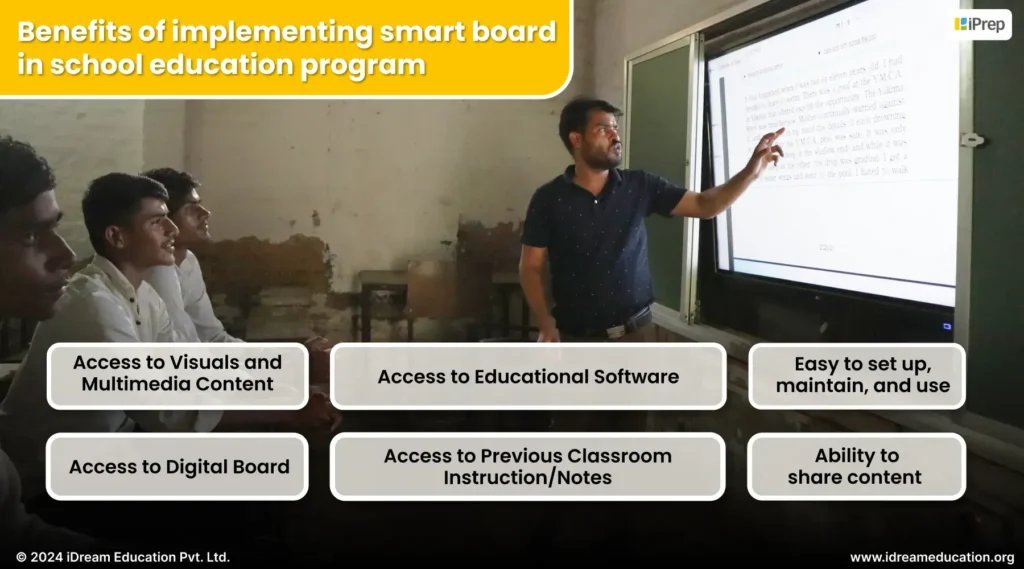
Features and Benefits of Implementing Smart Boards in School Education Programs

Image highlighting the benefits of implementing a smart board in a school education program through iDream Education

Easy to set up, maintain, and use

  • While infrastructure and resource limitations within the government pose challenges for widespread digital learning implementation, smart boards offer a practical and accessible solution. It is a single-piece smart class hardware offering a plug-and-play smart class solution for schools.
  • Smart Boards are ease of setup, maintenance, and use of smart boards in Hindi, English and local language, coupled with their compatibility with existing classroom infrastructure, make them an ideal fit for diverse educational environments.
  • Moreover, smart boards are low maintenance requirements and user-friendly interface. This facilitate seamless adoption of smart class technology by teachers.

Access to Visuals and Multimedia Content

  • Smart boards provide access to visuals and multimedia content, enabling teachers to highlight key concepts, answer questions in real-time, and explore complex topics interactively.
  • This feature transforms lessons into engaging, personalized learning experiences, helping students of all abilities understand complex concepts better while combining multimedia resources with the teacher’s guidance.

Access to Digital Board Tools

  • Smart boards in classrooms offer both an interactive smart board and a digital board with in-built annotation tools, allowing teachers to present multimedia content, draw, write, and incorporate shapes, mind maps, and labels seamlessly.
  • This feature reduces teachers’ workload, makes explanations interactive, and transforms complex concepts into engaging, easily understandable lessons, saving time while enhancing student comprehension.

Integrated Educational Software

  • Smart boards act as a versatile hub of Android applications, complemented by pre-installed smart class software such as iPrep, providing centralized access to curriculum-aligned content similar to textbooks.
  • Smart Class LMS Integration empower teachers with read to use teaching resources aligned with curriculum. This makes lesson preparation, saves valuable time, and allows teachers to focus on delivering engaging, personalized lessons that cater to diverse learning styles.

Access to Previous Classroom Instruction/Notes

  • Smart boards allow teachers to digitally save and store lesson content directly from the board, enabling easy access to past lessons and seamless switching between saved pages for revision.
  • This feature makes revision quick and efficient, reinforces learning for current students, serves as a valuable resource for future grades, and helps minimize learning gaps, ensuring no student falls behind.

Ability to share content  

  • Smart boards enable seamless content sharing by allowing teachers to share digital board files with students’ devices via QR codes.
  • This feature ensures all students, including those absent, have access to accurate classroom instruction, supporting effective learning and revision while fostering a more inclusive and comprehensive learning experience.

In schools, smart boards are proving to be practical tools rather than just high-tech additions. They help teachers save time, make lessons more interactive, and ensure students don’t miss out on key concepts. While they don’t replace the teacher, they make everyday classroom activities such as explaining, revising, and sharing content more efficient and engaging. With smart boards, schools can take a meaningful step toward making smart classes the future of education, with the focus on achieving learning outcomes.

If you are looking for Smart Boards with Smart Class LMS, integrated in Hindi, English, and local languages for your school’s educational program, you can contact us at +91 7678265039 or write to us share@idreameducation.org. You can also share your details here.

Walk Through the Journey of Smart Boards in Schools of Uttarakhand: From Setup to Teacher Insights

From Skeptic to Advocate: How do smart class features enhance teacher mindsets toward using technology in classrooms?

Discover how smart class features are turning tech-hesitant teachers into advocates of using smart classrooms to create more engaging and effective learning experiences.

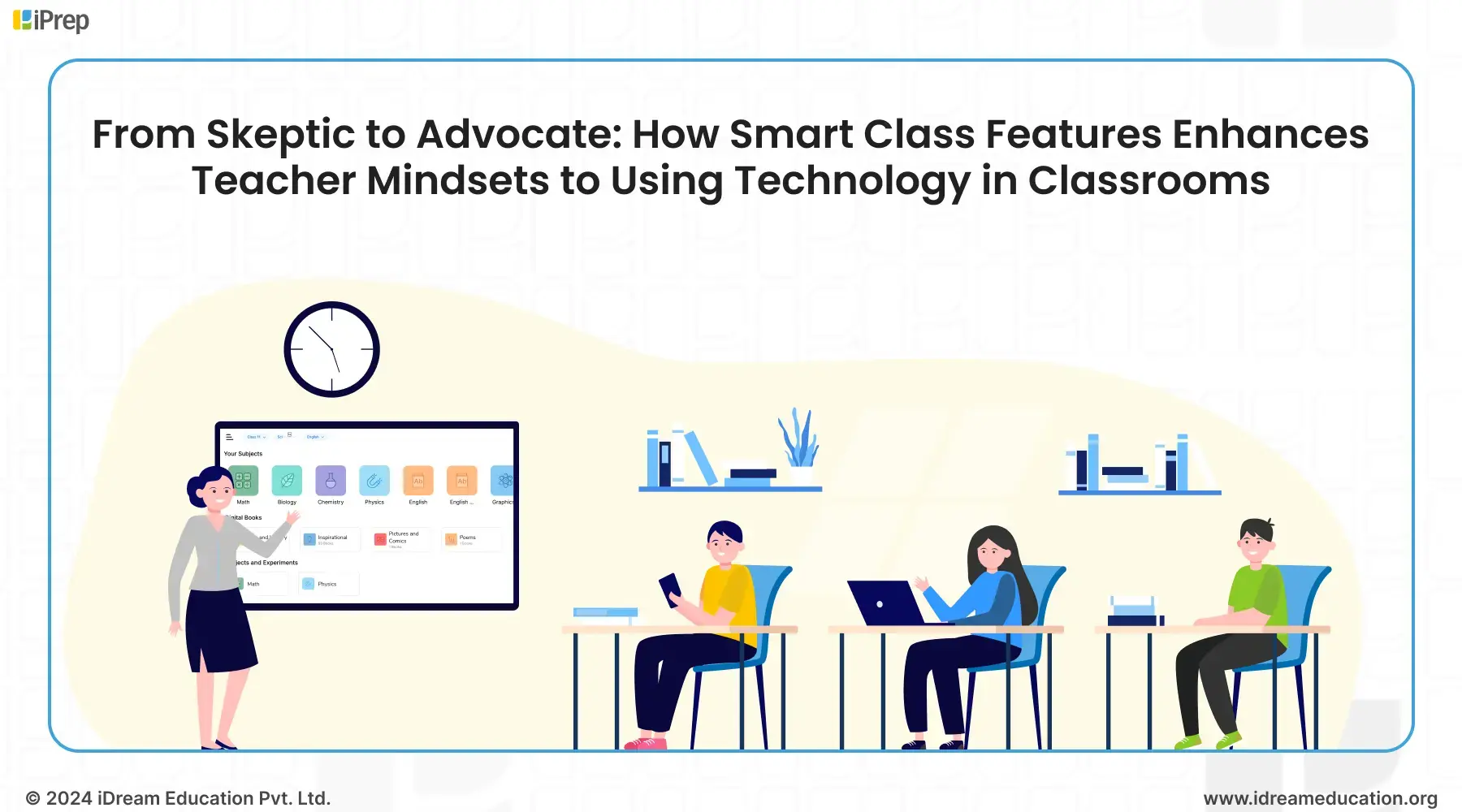
An illustration highlighting the use of smart class features by teachers in schools

In the journey towards enhancing education, technology integration within classrooms has become an undeniable necessity. However, in government schools, teachers often struggle to adapt to these changes. Many of them haven’t grown up using computers and have jumped straight from watching TV to using smartphones. This leap has left a gap in their understanding of how to use technology effectively in teaching.

Because of this unfamiliarity teachers remain skeptical about using educational technology in the classroom. This is where one of the core smart classroom features,  that is the operating system, comes into play. 

A user-friendly interface, similar to smartphone experiences, can help bridge this gap. 

By mirroring the smart class feature similar to those teachers use on their phones or TVs at home, we can help them become more comfortable and confident with technology. iDream Education is empowering teachers to embrace technology with greater comfort and confidence. We believe fostering familiarity with smart class devices outside the classroom is key. This familiarity can lead to a positive shift in teacher mindsets toward integrating technology into their teaching practices. Once teachers feel at ease using smart devices in the classroom environment, we are well on our way to enhancing the way teachers leverage technology to enhance the learning experience for their students.

Further, from the widespread implementation of smart classrooms across various states in India through partnerships between the social sector and the government, 

We have learned that the most popular choices for smart classroom setups are either Smart TVs or interactive flat panels. This insight underscores the importance of aligning solutions with the preferences of teachers to ensure seamless integration of technology in teaching.

Let’s explore some smart class features that are shifting teacher’s mindsets from skeptics to advocates for the regular use of smart classes in schools

Interactive in nature

One of the smart class features is interactivity. It enhances the passive learning environment into a dynamic, participatory experience, actively involving students and sparking their eagerness to learn. Not only does this enhance student engagement, but it also makes teaching more enjoyable and fulfilling. The interactive feature of smart classes empower teachers to cater to different learning styles, where they can show visuals, conduct collaborative classroom activities, play video lessons, and more, ultimately leading to better learning outcomes for students.

Access to educational software:

In numerous social sector and government education initiatives, smart class devices are set up equipped with pre-installed educational software such as iPrep by iDream Education. This not only saves teachers valuable time searching for relevant content but also enriches their teaching pedagogy with engaging digital resources. This makes educational software a key smart class feature, enabling curriculum-aligned content in English, Hindi, and various local languages. Further, the bilingual interface simplifies navigation, allowing teachers to comfortably explore and utilize the software in their preferred language. This, leads to a shift in teacher mindsets to using technology in classrooms.

Access to Android Application:

Beyond educational software, teachers can use various Android applications and platforms to enhance teaching and student engagement. A prime example is the use of platforms like YouTube by coordinators at iMpower Centres of Aide et Action. They shared that, On Saturdays, they foster a unique learning environment at their centers. They do this by playing animated movies like Mowgli while students enjoy their meals. This approach has proven effective in captivating students’ attention, as they become so engrossed in the content that they even pause their eating to watch and learn, demonstrating the power of integrating technology and entertainment to create immersive educational experiences.

Annotation Tool

Annotation is one of the smart class features of an interactive flat panel. It is changing the way students learn. IFPs are touch-based devices that spark curiosity and engagement among students, making learning a more immersive experience. Through this, teachers can draw, write, and highlight, content directly on the screen, making teaching smooth and easy. From simple annotations to intricate diagrams, this smart class feature enhances visual communication and simplifies the explanation of complex concepts. With this too, teachers are able to engage students in collaborative learning by encouraging their participation in board activities. This approach fosters a sense of motivation to learn and improve.

Classroom Capture

Classroom Capture can be done through the use of an annotation tool as an interactive board. This smart class feature simplifies teaching by allowing teachers to add pages rather than erasing content, thereby preserving the continuity of instruction. Teachers can easily add pages during lessons, save their entire instructional content, and facilitate seamless revisit before the next class. Additionally, this feature enables teachers to share their lessons directly with students via QR code scans, enhancing accessibility and ensuring that students have easy access to classroom notes on their devices at their convenience.

On-demand collaboration

This can be done by teachers through touch haptics, another smart class feature of interactive flat panels. Teachers can effortlessly initiate collaborative activities on the screen, fostering teamwork and active participation. Students, naturally drawn to tactile experiences, thrive in this environment as they touch, interact, and work together on shared tasks. This collaborative approach not only cultivates healthy competition but also enhances classroom engagement, where learning becomes an enjoyable and interactive experience for all.

On-Demand Visual Learning

This improves classroom engagement by empowering students to take the lead. Teachers can select a student to guide their peers through a reading passage or facilitate interactive activities like group reading sessions. This dynamic approach not only enhances comprehension and retention of the material but also fosters a sense of ownership and confidence in young learners. This smart class feature transforms passive listeners into active participants, cultivating a vibrant and inclusive classroom where every student has a voice.

These are some common smart class features that have led to a significant mindset shift among teachers. 

Let’s explore one example that illustrates the shift from skepticism about smart classes to active advocacy for their use.

A teacher using smart classroom in a school of Meghalaya

From 2022 to 2023, we implemented 166 smart classrooms in schools across East Jaintia Hills, Meghalaya, as part of the Office of the Deputy Commissioner’s Project “Ka Lawei.”

Initially, teachers were hesitant and unfamiliar with technology’s role in education. However, through dedicated training, guidance, regular assessment, and bridge courses their apprehension evolved into curiosity and eventually, resulted in the regular use of smart classes. 

Recognizing this shift, in collaboration with Deputy Commissioner Abhilash Baranwal Ji, we planned to highlight and motivate teachers who were using smart classes regularly. Teachers who consistently used smart classes were identified and recognized as “master trainers.” This strategic approach empowered them to mentor their peers, leading to the use of smart classes by other teachers as well. 

As Project Ka Lawei marked its one-year milestone in Aug 2023, Three schools have been recognized and awarded for their exceptional performance within the Ka Lawei initiative. Moreover, nine teachers from different schools across East Jaintia Hills were recognized and felicitated for their contributions and use of smart classes. 

The intuitive nature of smart class technology, mirroring the familiar interfaces of devices like TVs and smartphones, empowers teachers to effortlessly integrate digital tools into their classrooms. 

At iDream Education, we understand that each school possesses a unique infrastructural landscape and teachers have individual preferences. This is why we meticulously tailor our smart class hardware and software solutions to seamlessly fit within existing school infrastructures and align with the specific needs of teachers. User-friendly interface of our learning platform iPrep simplifies the adoption process, removing any barriers to integrating technology into the classroom. By leveraging teachers’ inherent comfort with technology and providing them with tools that are both easy to use and specifically designed for their needs, we create an environment where technology enhances, rather than hinders, the educational experience.

If you want to know more about smart classrooms for your education program/initiative, please write to us at share@idreameducation.org 
How to Create and Curate structured FLN Digital Learning content?

 iPrep by iDream Education, enabling NCERT and NCF-aligned foundational literacy and numeracy FLN digital learning content.

Imagine this scenario: You’ve just moved into a new house and it’s time to assemble that brand-new bookshelf you’ve been eyeing. You eagerly open the box,

  • To find a jumble of wooden panels, screws, nuts, bolts, and various tools,
  • But there’s no instruction manual to guide you

Suddenly, your excitement turns into a feeling of overwhelm and confusion. Where do you even start? How do all these pieces fit together?

This is precisely the challenge faced by many primary school teachers. They are required to balance various responsibilities, including managing socio-emotional interactions in the classroom and achieving high cognitive outcomes. The situation is even more demanding at Anganwadi centers, where limited coordinators must cater to students of different age groups and ensure their education, food, nutrition, social interactions, and more. As a result, their focus on foundational literacy and numeracy (FLN) skills in the early grades becomes somewhat blurred.

Designing effective lessons, and combining different resources feels overwhelming, impacting the learning of children in foundational years.

What is the need for Structured FLN Digital Learning Content?

Just like assembling a bookshelf without instructions would likely result in a shaky, unstable structure, creating digital content without a clear plan can lead to disjointed learning experiences that fail to engage young learners or support their developmental needs. The abundance of teaching resources can feel like a jumbled mess of parts without a cohesive plan to bring them together.

Some Challenges Faced by teachers/coordinators in preschools/Anganwadi centers in structuring teaching:

  • Time-consuming Pre-Class Activities:

Preschool/Anganwadi teachers face a constant struggle against time, and often juggle around the responsibilities of creating lesson plans, classroom activities, and interactive assessments. Balancing curriculum guidelines, addressing diverse learning needs, and managing a plethora of activities, all while tackling administrative tasks, leaves them with limited time and resources. The responsibility of crafting engaging lesson plans and comprehensive assessments for multiple subjects and competencies is a concern. This, in turn, impacts the quality of early education, as teachers may find it difficult to maintain structured teaching while ensuring assessments and activities are engaging and effective.

  • Limited Engaging Content: 

There have been targeted efforts through State Nipun Bharat initiatives to enhance educational outcomes. Still, teachers in numerous primary schools and Anganwadi centers do not have access to engaging content beyond textbooks. This can lead to monotonous classroom experiences characterized by passive learning, hindering the engagement of early learners and creating a significant barrier to foundational learning.

This is where the need for a well-structured instructional approach comes in. 

Much like a detailed instruction manual guides you through the assembly process, thoughtfully curated and created FLN digital learning content provides teachers with a roadmap for selecting, organizing, and delivering engaging learning experiences based on the developmental needs of early learners.

Let us take you through iPrep’s Approach to structured FLN Digital Learning Content

At iPrep, we’ve put together FLN Digital Learning Content in alignment with the Government of India’s National Curriculum Framework (NCF) guidelines and its  3 developmental goals. Let’s explore the creation of NCF and NCERT-aligned content, enabling teachers with structured teaching approach for the holistic growth of young learners.

NCF’s Development Goal 1: Good Health and Well-being 

To achieve this, iPrep’s FLN Digital Learning Content focuses on 6 competencies. This focuses on sharpening sensory perceptions, developing healthy habits, a fit and flexible body, emotional intelligence, a positive attitude towards productive work and service, and positive regard for the natural environment around them. To enable this, teachers get access to structured engaging lessons, activities, games, assessments, and more to guide children toward achieving 24 specific learning outcomes that contribute to their overall good health and well-being.

NCF’s Development Goal 2: Cultivating Effective Communication

Communication is important for learning social interaction in the early years. To realise this, iPrep’s FLN Digital Learning Content focuses on 3 key communication competencies. This includes developing effective communication skills for day-to-day interactions in 2 languages, fluency in reading and writing in Language 1, and beginning to read and write in Language 2. With targeted content on iPrep, teachers can conduct activities that empower children to express themselves confidently and effectively in various situations and measure through 16 targeted learning outcomes.

NCF’s Development Goal 3: Fostering Engagement with the Environment

We connect FLN learning to the world around the child.  To achieve this, iPrep’s FLN Digital Learning Content focuses on 4 competencies that encourage children to observe, explore, and interact with their environment. This includes developing mathematical understanding to recognize shapes and quantities, developing abilities and sensibilities in visual and performing arts, expressing their emotions through art in meaningful and joyful ways, learning habits to engage actively in formal learning environments, and making sense of the world around them through observation and logical thinking. Further, the learning is measured through 17 targeted learning outcomes.

To realise these goals, we have followed an age-appropriate roadmap where content is categorized as per Preschool 1 (PS1), Preschool 2 (PS2), Preschool 3-Balvatika (PS 3), and Vidya Pravesh to ensure every child is ready for class 1. 

We envision facilitating competency-based learning by breaking down 3 NCF Goals into 13 Competencies, 57 Outcomes

At iDream Education, we believe learning happens only when children actively engage in the learning process. Thus, we are now ready to partner with organizations that work in Early Childhood Education states by supporting their efforts by enabling FLN Content that equips Anganwadi and primary school teachers with comprehensive, curriculum-aligned, and playful FLN content. This approach not only saves valuable time for teachers but also ensures a well-structured approach to teaching as per NCF’s vision.

If you’re working to enhance to improve teaching and learning in primary schools or Anganwadi centers through digital, please contact us at +91 7678265039 or write to us share@idreameducation.org. You can also share your details here

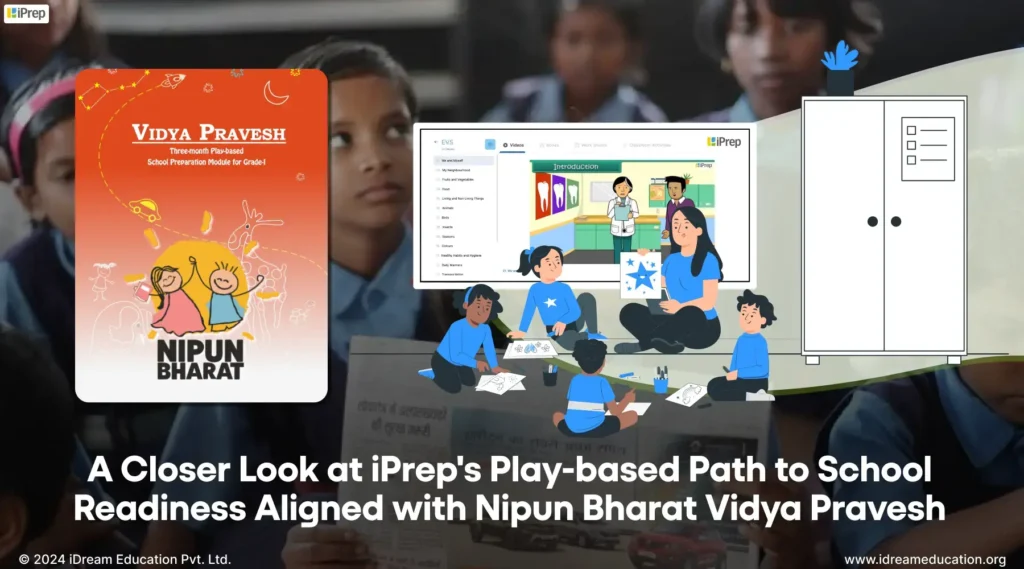
NIPUN Bharat Vidya Pravesh aligned content by iDream

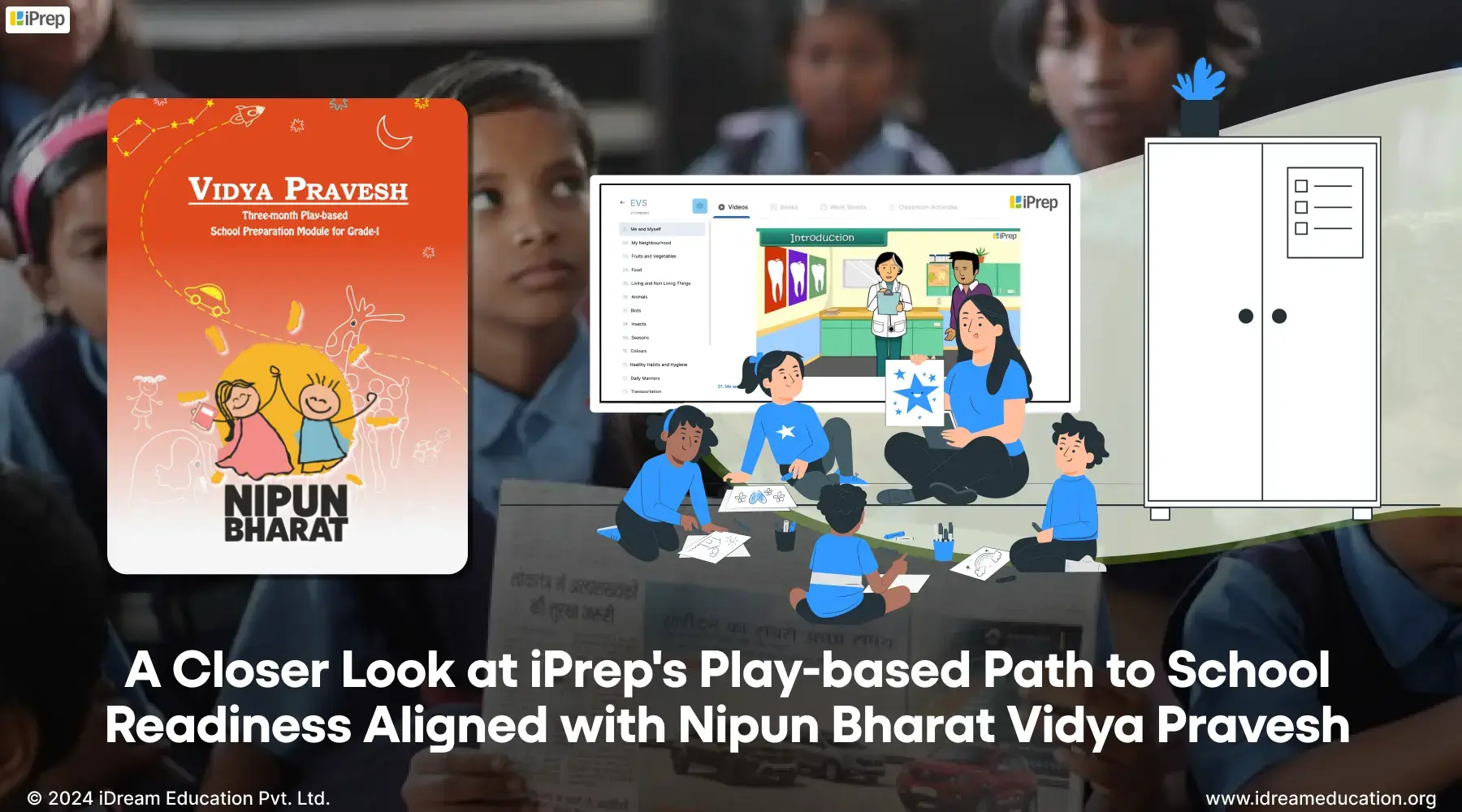
iPrep's play-based path to school readiness, aligned with NIPUN Bharat Vidya Pravesh Program

Moving from Anganwadi to primary school can be a major change for children. The sudden shift to longer school hours, multiple teachers, and tougher lessons often makes young children feel disoriented, affecting their learning journey. This is where NIPUN Bharat Vidya Pravesh becomes important. This programme helps bridge the gap between early learning and formal schooling. It focuses on giving young learners essential foundational literacy and numeracy skills to prepare them for school. Even the ASER 2024 report emphasises how important foundational literacy and numeracy is for better early childhood education and improving education outcomes in India. 

This guide will show you how iPrep’s play-based approach makes NIPUN Bharat Vidya Pravesh implementation easier for teachers and more effective for children.

What is NIPUN Bharat Vidya Pravesh?

As noted above, Vidya Pravesh is a structured school preparation programme under the NIPUN Bharat Mission, designed for children entering Grade 1 without prior pre-school experience.

 It provides a three-month, play-based learning framework that focuses on developing FLN skills, along with physical, socio-emotional, and cognitive readiness. Aligned with the National Education Policy (NEP) 2020, Vidya Pravesh helps bridge early learning gaps and ensures school readiness for all children, particularly those from underserved communities.

How Are State Governments Implementing NIPUN Bharat Vidya Pravesh?

State governments across India are actively aligning with the NIPUN Bharat Mission and the Vidya Pravesh programme to strengthen foundational learning in Classes 1 to 3. 

Implementation varies by state but typically includes:

  • Adoption of Vidya Pravesh as a three-month school preparation module to ease the transition into Grade 1, especially for first-generation learners
  • Integration with DIKSHA and other digital platforms for teacher training and content dissemination
  • Development of state-specific FLN action plans, tailored to local languages and learning gaps
  • Monitoring through PRABANDH, the national FLN progress-tracking portal
  • Convergence with existing state schemes like Samagra Shiksha, to ensure resources and training reach every district

States like Uttar Pradesh, Maharashtra, and Tamil Nadu have created dedicated task forces and launched regionally contextualised FLN content. This is done to ensure Vidya Pravesh is not just implemented but adapted to local classroom realities.

Simplifying NIPUN Bharat Vidya Pravesh Implementation: How Does iPrep Help?

iPrep, the learning super app for India, offers a structured, three-month play-based school readiness module for Grade 1, designed in alignment with NCF, NCERT content and guidelines,  and NIPUN Bharat Vidya Pravesh guidelines.

It combines this module with FLN content, enabling teachers to deliver early learning without the need for complex training. With easy access to digital resources, iPrep delivers a more engaging and effective transition for both students and educators.

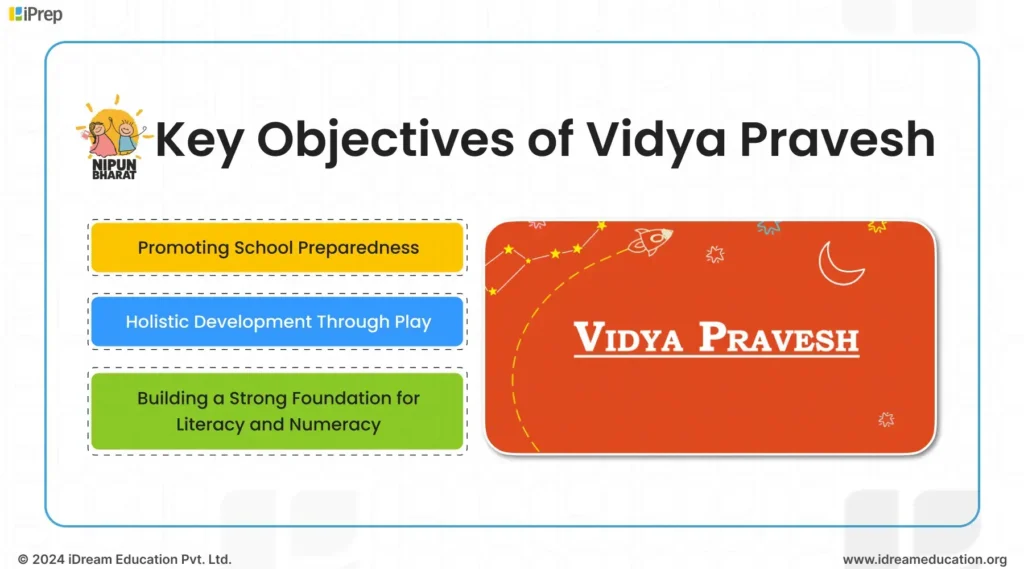
What Are the Key Objectives of NIPUN Bharat Vidya Pravesh

The infographic outlines the key objectives of the Vidya Pravesh module, which include enhancing teaching skills, improving student engagement, providing digital learning resources, and promoting inclusive education in primary government schools

The main goals of NIPUN Bharat are as follows:

  1. Promoting School Preparedness: iPrep’s Vidya Pravesh acts as a bridge, making the transition to Grade I smooth and enjoyable for all children. By providing a playful learning environment, it will help children develop social, emotional, and cognitive skills essential for school life.
  2. Holistic Development Through Play: The Vidya Pravesh module places a strong emphasis on play-based learning, recognizing its crucial role in a child’s overall development. Through engaging stories, rhymes, games, activities, puzzles, and more, we envision developing critical thinking, problem-solving, communication, and collaboration skills among children.
  3. Building a Strong Foundation for Literacy and Numeracy: iPrep’s Vidya Pravesh is designed to develop the cognitive and linguistic competencies. These are prerequisites for reading, writing, and numeracy. Incorporating fun and interactive activities will lay a solid foundation for academic outcomes in later years. This foundation ensures children don’t struggle with basic concepts when they advance to higher grades, preventing learning gaps that can affect their entire educational journey.

NIPUN Bharat Vidya Pravesh: Topics That iPrep’s Module Covers

The module comprises subject-wise animated lessons, classroom activities, and assessments, all geared toward fostering a love for learning through play.

Animated Lessons: Over 200 Educational Videos

This category offers a comprehensive library of over 200 bite-sized educational videos covering diverse topics like colours, shapes, patterns, comparison, plants, birds, environment, and more.

Video lessons are carefully created in alignment with NCERT and NCF guidelines, emphasising deeper understanding among children of the world around them. This encourages young learners to connect their studies to real-life experiences and observations, making learning more meaningful and memorable.

Classroom Activities: 20+ Engaging Experiences

The category offers rich and diverse learning experiences with over 20 engaging classroom activities. These activities are designed to ensure there’s no rush or pressure—just the joy of exploration and discovery when learning topics such as:

  • My Family and My Cousin
  • My Country and My Neighbours
  • Different types of sounds
  • Different types of animals
  • Environmental awareness topics

Assessment Development in Progress

Assessments are being developed to support progress tracking for students and teachers.

How Does iPrep Support Well-rounded Early Education?

Beyond the Vidya Pravesh module, iPrep’s content integrates with foundational literacy and numeracy materials for Nursery, LKG, and UKG. This comprehensive approach equips teachers with complete play-based content to prepare children for foundational learning across all early education levels.

This integration ensures continuity in learning approaches and content quality from the earliest stages of education through school readiness preparation. Teachers don’t need to source materials from multiple providers or worry about content alignment issues.

iDream Education’s FLN Digital Content

Here’s a snapshot of our FLN Content offerings:

  • Complete Subject Integration: Interactive multimedia resources spanning Literacy (English and Hindi), Numeracy (Mathematics), Environmental Studies (EVS), Socio-Emotional Learning, and Health & Physical Well-being for Pre-School 1 through Grade 2.
  • Curriculum-Aligned Evaluations: Visual assessment tools designed for Literacy, Numeracy, and EVS subjects, specifically adapted for Pre-School 1 to Grade 2 learners.
  • Interactive Learning Materials: Comprehensive worksheets available across all core areas, including Literacy, Numeracy, EVS, Socio-Emotional Learning, and Health & Physical Well-being for young students.
  • Hands-On Learning Resources and Demonstration Videos: Fun, interactive activities focused on Numeracy, EVS, Hindi, and English for PS1 to Grade 2 students, promoting experiential learning through practical engagement.
  • Educational Games and Rich Media Content: Developmentally appropriate problem-solving materials designed for children between 3-8 years old to foster inquisitiveness and analytical thinking skills.
  • Learning Materials and Audio Resources: Though formal textbooks aren’t mandated, we’ve curated relevant reading materials that cover fundamental concepts for these early learning stages.
  • Comprehensive Online Resource Collection: The iPrep FLN platform features an extensive array of storybooks, illustrated books, nursery rhymes, and other developmentally suitable content designed to create enjoyable and meaningful learning experiences.

Takeaway

iPrep’s Vidya Pravesh module is a significant step toward achieving universal foundational literacy and numeracy goals outlined in NIPUN Bharat. By making implementation easier for teachers and learning more enjoyable for children, the programme addresses critical gaps in school readiness preparation.

Through comprehensive content aligned with national guidelines and practical implementation support, iPrep bridges the gap between early childhood education and formal schooling effectively.

If you are an NGO or CSR organisation supporting early childhood education, iPrep’s Vidya Pravesh module can enhance your impact and reach. Our play-based approach makes implementation straightforward while ensuring children receive quality preparation for formal schooling.

Contact us to learn more about how our school readiness solutions can support your early education initiatives.

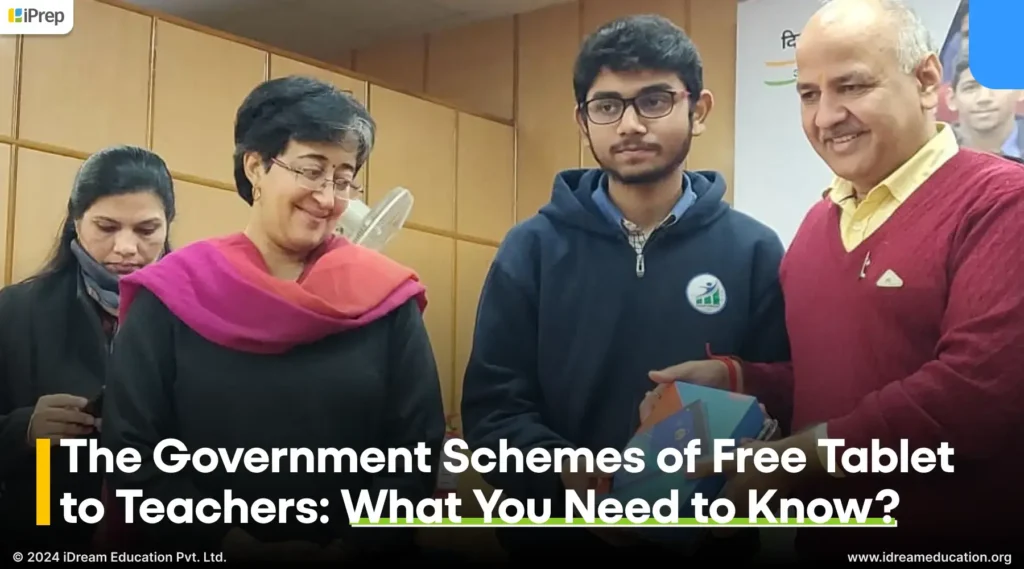
The Government Schemes of Free Tablet to Teachers: What You Need to Know?

A blog post by iDream Education discussing government schemes that provide free tablet to teachers

With the increasing integration of digital tools in student learning, the government is also focusing on making teachers tech-friendly.  Equipping teachers with tablets and the necessary training is a key step towards enabling effective, efficient teaching incorporating adaptive learning modules, engaging content, and more. Fortunately, numerous central and state government schemes offer free tablet to teachers, facilitating this transition. 

Some of these government initiatives and schemes are

ICT@Samagra Shiksha: 

A comprehensive initiative by the Ministry of Education places significant emphasis on empowering primary school teachers with technology. Recognizing the importance of digital tools in the education system, the scheme has allocated substantial financial support of Rs. 10,000 per teacher for tablets. This strategic move is implemented from 2022-23 under the “Learning Recovery Package,” which aims to enhance teaching methodologies and learning outcomes in primary education.  With a total of 1,482,565 tablets sanctioned to teachers handling primary classes, the initiative demonstrates a commitment to integrating technology into the foundational years of education, thereby fostering a digitally proficient generation.

e-Adhigam initiative

Haryana’s e-Adhigam initiative is enhancing education in the state by bridging the historical learning gaps. In this over 5 lakh students received tablets equipped with personalized and adaptive learning software and daily internet access. Additionally, the government has also focused on expanding online educational resources by providing tablets to 37,370 PGT Teachers to get free tablets in Haryana with specialized modules. The vision is to foster virtual interactions and create new avenues for student-teacher engagement.  This comprehensive approach not only expands access to online educational resources but also changes the way education is delivered and received in Haryana.

Nipun Bharat Digital Initiative: 

NBDI, an initiative by the Department of Basic Education in Uttar Pradesh, envisioned empowering teachers with tablets as part of a comprehensive learning resource package. This project aims to bridge the digital divide in education and enhance teaching practices across the state. With the creation of the Nipun Bharat Digital Initiative Unified Portal and a dedicated mobile app, teachers now have access to a centralized platform that streamlines communication, data management, and resource allocation. This innovative solution not only simplifies administrative tasks but also fosters transparency and collaboration among stakeholders, ultimately contributing to a more efficient and effective education system.

Uttar Pradesh to Equip 2.36 Lakh Teachers with Tablets by September 2024

Uttar Pradesh Chief Minister Yogi Adityanath Ji, announced in July 2023 that 2.36 lakh government primary and upper primary school teachers will receive tablets. Scheduled for completion by September 2024, this initiative aims not only to distribute tablets but also to encourage the use of the DIKSHA app. The tablets, pre-loaded with information about government programs and initiatives, are expected to facilitate real-time attendance tracking and the posting of details, alongside providing access to additional digital learning materials. Vijay Kiran Anand, director general of school education, stated, “There are approximately 600,000 teachers in 130,000 government schools. We are working to provide tablets to teachers in phases. In the initial phase, we aim to supply at least two tablets per school to facilitate teachers’ academic work.

In recent years, both central and state governments have made commendable strides in equipping teachers with technology, often in the form of tablets.

While these initiatives acknowledge the critical role of digital tools in education, the current approach falls short of its full potential. Pre-loaded devices with limited education material, focused primarily on administrative tasks or standardized content delivery, which overlooks the diverse needs of teachers. The true power of technology lies in its ability to enhance the teacher-learning experience – to spark curiosity, foster collaboration, and personalize instruction.

Our Vision of Enabling Tablet To Teachers

We believe that instead of restricting teachers to tablets, let’s provide them with a versatile toolkit that deepens their understanding of each student, makes their classrooms more fun, and exposes them to various forms of content to teach different concepts in diverse ways. Additionally, tools that inspire them to create their own teaching materials. 

With this in mind, we propose enabling offline content creation through the content library application when providing Tablet to Teachers.

iPrep Coach is a versatile platform designed to empower teachers and enhance their teaching capability through technology. This comprehensive application enables CSRs, NGOs, foundations, government bodies, and hardware partners to make tablets to teachers a toolkit with all the relevant resources they need to enhance their teaching practices such as lesson planning, classroom teaching content, and assignments. iPrep Coach streamlines administrative tasks with access to a vast library of digital content and facilitates personalized learning experiences for students. 

What Does iPrep Coach on Tablets to Teachers Offer?

iPrep Coach isn’t just an app; it’s a comprehensive teaching toolkit designed specifically for teachers. It empowers teachers with a wealth of features to streamline their workflow, enrich their lessons, and foster a more engaging learning environment for their students.

Tablet to Teachers with  iPrep Coach, to inspire them to create their own lesson plans and make teaching more engaging

Rich and Comprehensive Curriculum-Aligned Content at Your Fingertips:

iPrep Coach provides instant access to iPrep’s vast library of curriculum-aligned digital content. This includes animated lessons that make complex topics easier to grasp. Further, there are practice questions for collaboration, syllabus books for reference, and concise notes for quick revision. All of this can be made available on tablets given to teachers in your education program/initiative/scheme. This makes it incredibly convenient for teachers to prepare for classes and stay organized.

Create and Share Own Personalized Content:

With iPrep Coach, teachers are not limited to preloaded content. They have the flexibility to create and upload their personalized materials in various formats. This includes videos, notes, books, assessments, images, audio files, PowerPoint presentations, HTML documents, and more. Through these resources, they can personalize their lessons as per the specific needs and learning styles of students, making teaching instruction even more impactful.

Record Live Lectures and Screencasts:

The App allows teachers to record screens and capture live lectures on their tablets. This is an amazing way to provide personalized instruction when teachers are unable to be physically present in the classroom. Apart from this, students can also revisit lectures for revision or to catch up on missed lessons. The availability of teaching resources on iPrep Coach ensures every student stays on track with in-class teaching.

Design Personalized Assignments and Quizzes:

iPrep Coach enables teachers to create and upload personalized assignments and quizzes for any chapter or subject. With this teachers can conduct quiz exercises and competitive games in the classroom. This way they can add an element of fun and engagement to the learning process. Interactivity in classrooms helps teachers solidify students’ understanding and encourage classroom participation. Additionally, helps teachers identify and address any learning gaps, and ultimately makes learning joyful. 

Create Lesson Plans

Teachers can create lesson plans by integrating a diverse range of content in one place. They can leverage pre-existing digital content or recorded lectures to start teaching. They can also incorporate personalized content, such as supplementary teaching resources and relevant examples, to enhance comprehension. Further, they can end chapters with their own created assignments and collaborative practice. Combining multi-category content helps teachers create dynamic and effective lesson plans. This will empower them to cater to diverse learning styles and maximize student outcomes.

Access to Content History and Reports:

A significant advantage of enabling iPrep Coach on tablet to teachers is the ability to meticulously manage digital content. Teachers can easily monitor the content they’ve created and uploaded, including details about its type and timestamp. They also have the option to remove any outdated material. Moreover, teachers gain insights into what content they have used most and least through detailed analytics. This includes data on the average time spent teaching with digital and personalized content each month, the number of uploads, and comprehensive usage statistics categorized by subject, class, language, and more. This empowers teachers with a deeper understanding of their teaching practices and the effectiveness of their digital resources.

iPrep Coach on the tablet to teachers empowers them with an all-in-one teaching solution. By combining curriculum-aligned content with personalized creation tools, interactive assignments, lecture recordings, and in-depth content analytics, iPrep Coach redefines how teachers deliver instruction and make classroom learning joyful. 

Beyond Free Tablet to Teachers: Enable All-in-One Teaching Solution in Your Education Initiatives and  Schemes

Enabling Tablets to teachers with preloaded relevant content and resources is not merely an investment in technology, but a step towards personalized, engaging, and efficient education. By embracing this approach, we unlock the full potential of teachers, inspire students, and ultimately cultivate a thriving learning environment in schools.

In case you are looking for a tablet for teachers contact us at +91 9501110665 or write to us share@idreameducation.org
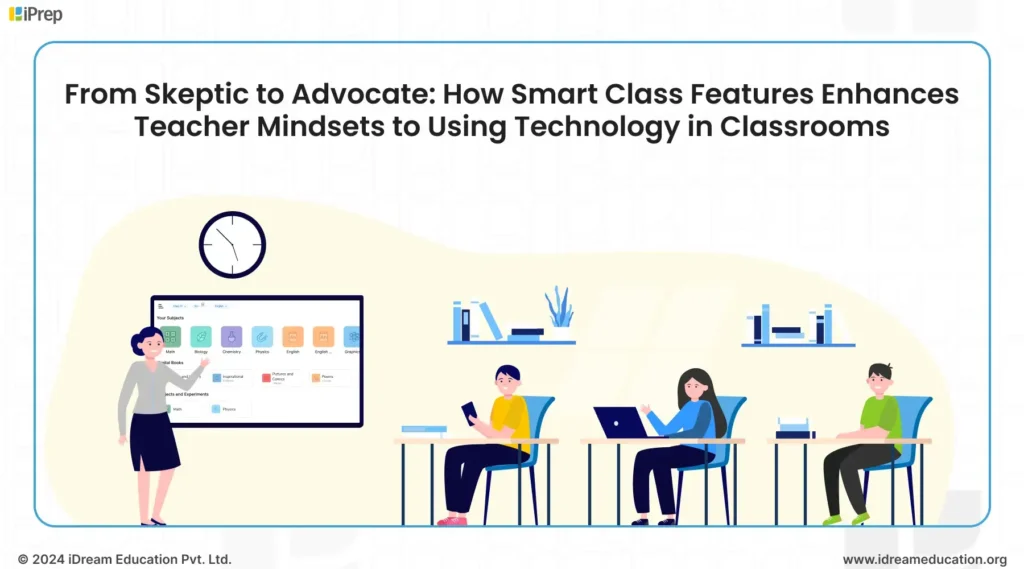
Solar Powered Digital Library: An Energy Efficient ICT Lab Solution for Government Schools

Image showing A solar-powered digital library, an energy-efficient ICT lab solution by iDream Education, designed for government schools as part of social sector education initiatives.

The Ministry of Education’s (MoE) recent School Innovation Contest brought to light the incredible potential of young minds across India. Among the standout innovations was the “Anytime Education” device, a solar-powered learning device. The device is developed by students of Excel Public School, Mysuru. Through this device, students aim to bridge the digital divide in education and provide uninterrupted delivery of education. This is particularly true for those residing in remote locations. This project, recognized as one of the top 20 in the contest, is a testament to the government’s commitment to empowering youth by providing opportunities for learning and growth.

More than just an accolade, the “Anytime Education” device shines a spotlight on the infrastructural challenges faced by many rural schools. 

The students’ ingenuity in creating a solar-powered solution demonstrates their keen awareness of these issues. Their dedication to bridging the digital divide is inspiring and we applaud their forward-thinking approach.

The success of this student-led project is a wake-up call for us all. 

It’s a reminder that the need for innovative solutions to address the infrastructure gaps in remote schools is more pressing than ever. Unreliable electricity, limited familiarity with technology, limited/no internet, and limited access to educational resources are common obstacles.  

But as we’ve seen, innovation can flourish even in the face of adversity.

We have been working hand-in-hand with the social sector to empower government schools. Our tablet, notebook, chromebook-based digital libraries are making a difference by eliminating the need for continuous electricity, internet, space, and more. Considering the need for energy efficiency solutions in government schools located in remote regions, we are now setting up solar-powered digital libraries. This adaptable solution is designed to overcome the challenges of rural schools, ensuring that no student is left behind in the digital age.

Solar-powered digital library: An Energy Efficient solution addresses two critical challenges simultaneously:

The lack of reliable electricity and the urgent need for sustainable practices 

By partnering with organizations such as R2V2, we equip rural households and schools with solar panels. This reduces the financial burden on our implementing partners while empowering them to actively participate in enabling education. These initiatives will not only ensure uninterrupted access to educational resources through our digital libraries but also foster an environmentally responsible approach to learning. 

In essence, our solar-powered digital libraries exemplify a Corporate Social Responsibility (CSR) partnership that seamlessly integrates education and environmental consciousness, creating a brighter, more sustainable future for students across India.

How Solar-Powered Digital Libraries Are a Sustainable Choice for CSR Education Initiatives?

Illustration showing the benefits of solar-powered digital libraries for CSR education initiatives

Hardware Benefits:

  • Energy Efficiency & Cost Savings: Solar power eliminates reliance on grid electricity or generators, reducing operational costs and carbon emissions.
  • Multi-Device Charging: Digital Libraries charge tablets, notebooks, or Chromebooks simultaneously, maximizing the impact of a single solar unit.
  • Simplified ICT Labs: Replaces complex hardware setups with a portable, easy-to-use charging rack, making it ideal for schools with limited infrastructure.
  • Long Battery Life: Devices can be used on a single charge for a full school day, ensuring uninterrupted learning.
  • Flexible Deployment: Easily moved to classrooms, halls, or outdoor spaces, adapting to different learning environments.
  • Personalized Learning: Rotational use of devices enables individual learning experiences for all students.

Education Software Benefits:

  • Curriculum-Aligned Content: All the devices are preloaded with rich digital content for classes 1st to 12th in Hindi, English, and 7 other regional languages. This ensures digital learning content is aligned with academic learning and lesson plans.
  • Diverse Content Sources: All the content on our learning platform iPrep is created and curated from reliable sources like DIKSHA and other platforms to offer a wide range of learning materials. Content can also be customized based on the requirements of the education initiative.
  • Engaging Formats: Animated videos, practice exercises, notes, and practicals cater to various learning styles and attention spans.
  • Holistic Development: Content goes beyond academics, covering life skills, moral values, health, climate action, and more.
  • Data-Driven Insights: The Learning Platform tracks student and teacher usage, providing valuable data on engagement, interests, and learning patterns.

iDream Education is a leading provider of Digital Libraries in India. If you wish to setup the best digital library solution, get in touch with iDream Education today.

Overall, solar-powered digital libraries offer a compelling solution for CSR education initiatives by:

  • Promoting accessible and equitable education by reaching underserved communities with quality digital learning resources.
  • Reducing environmental impact, through renewable energy and resource conservation.
  • Supporting sustainable development, by empowering communities, and fostering a culture of learning.

The awareness of the detrimental effects of overload shedding on education in rural areas necessitates immediate action. Solar-powered digital libraries present a viable and sustainable solution for corporate social responsibility (CSR) initiatives in the education sector. By investing in this innovative approach, we can empower rural communities with uninterrupted access to educational resources, bridge the educational divide, and foster a brighter future for generations to come.


In case you would like to know more about our Solar-powered digital library, visit our website. You can also write to us at share@idreameducation.org